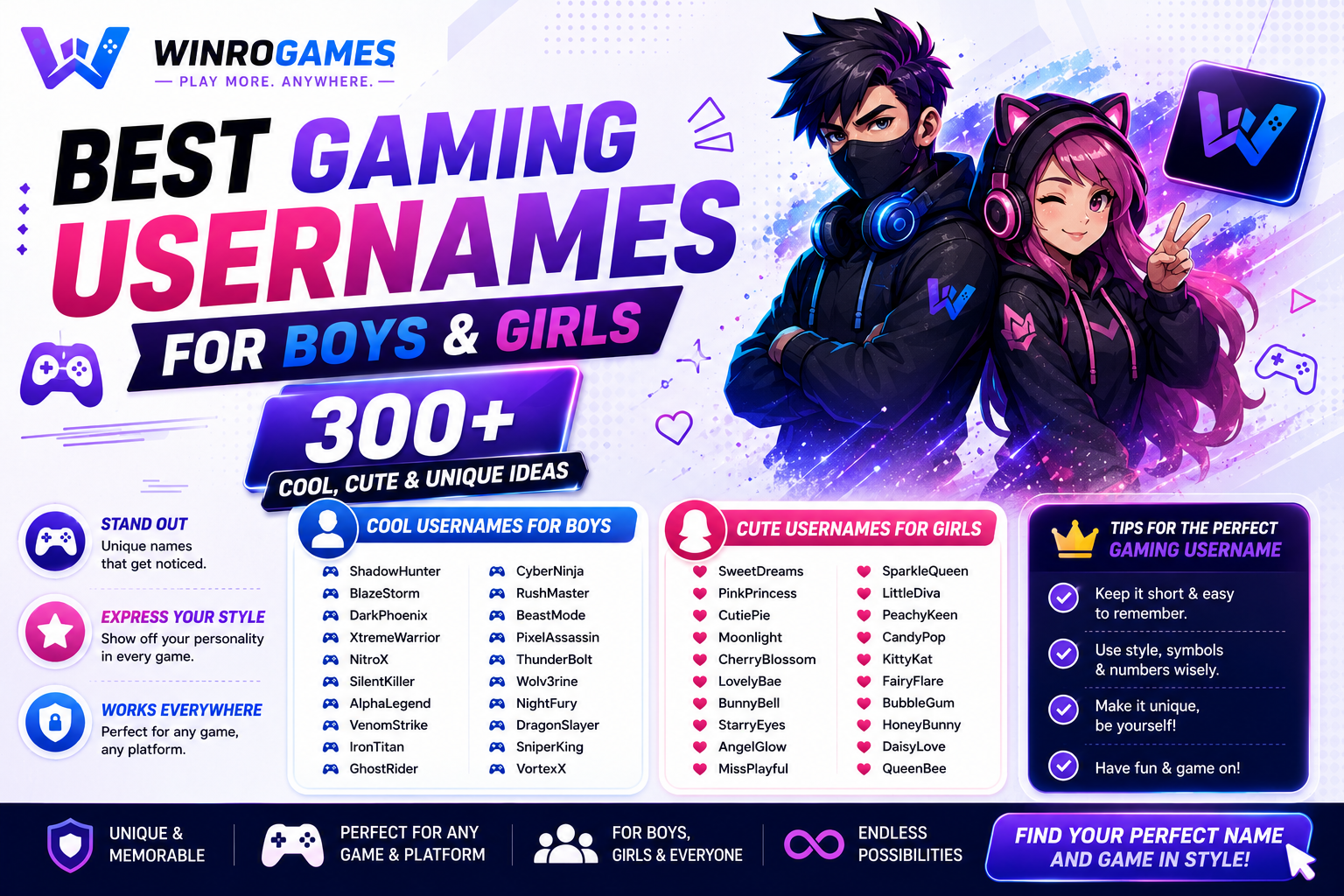
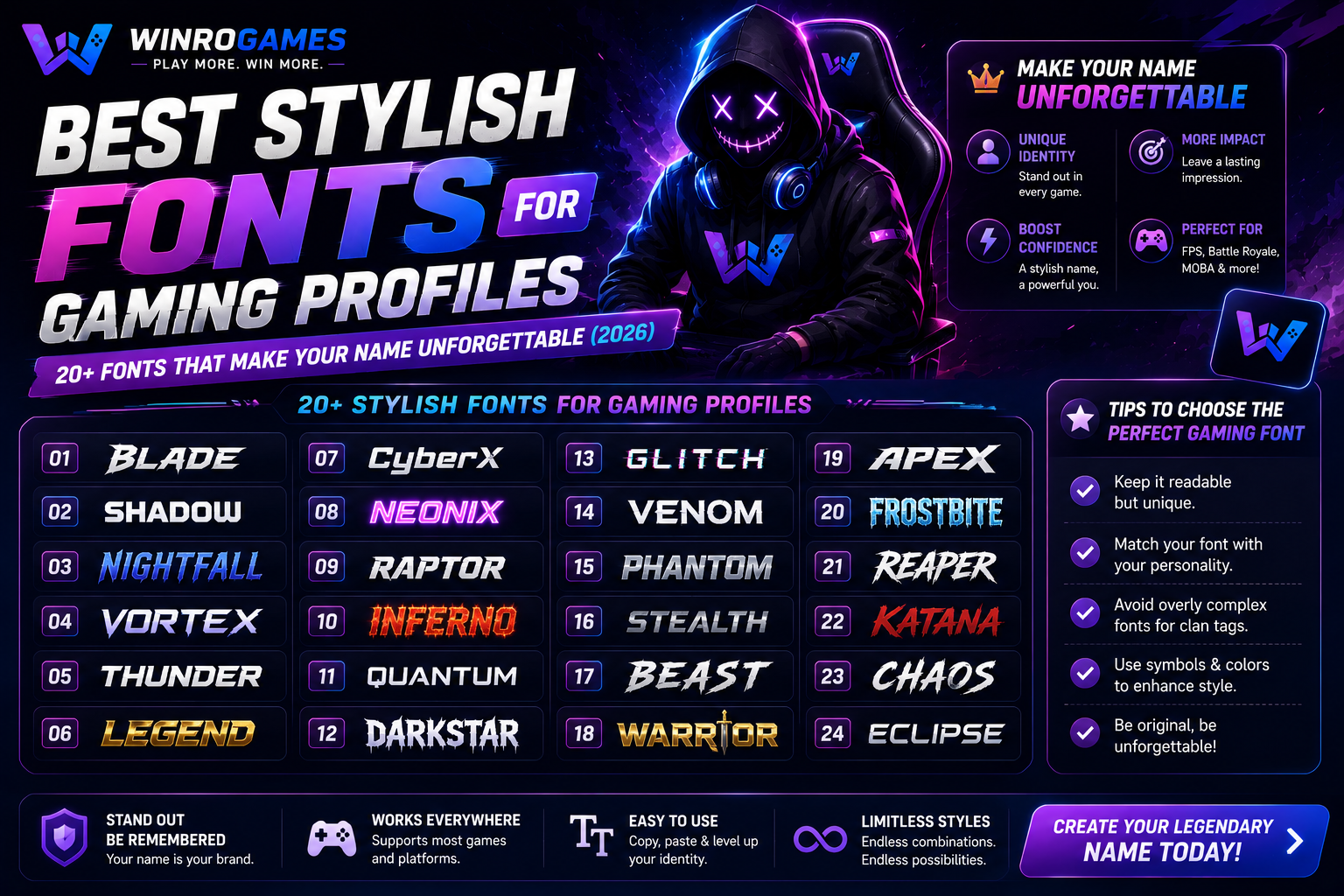
Let me paint a scene you've witnessed a thousand times. You're scrolling through a Discord server, a Steam friends list, or a game lobby. Username after username scrolls past in the same boring default font. "DarkKnight421." "ProSniper99." "xX_Shadow_xX." They blur together into a wall of visual noise. And then — something stops you. A name that looks different. It's sharper, sleeker, more intentional. The letters seem to carry weight. Without knowing anything about this player, you've already formed an impression: this person cares about their gaming identity. This person is probably good.
That's the power of stylish fonts for gaming profiles. It's not just decoration. It's visual communication. It tells other players that you've put thought into your presence, that you understand gaming culture's aesthetic language, and that you're not just another default-text player blending into the background. In 2026, with millions of gamers competing for attention across platforms, your font choice is often your first impression — and in gaming, first impressions happen in milliseconds.
This guide covers everything you need to transform your gaming profiles from forgettable to iconic. We're talking the best gaming fonts for profile customization, where to find cool fonts for gamertags, which font changer for gaming tools actually work, and how to apply stylish text for gaming profiles without breaking platform rules. Plus, I'll show you real examples of stylish names for gaming in 2026 that are dominating lobbies right now. Let's make your name unforgettable.
Why Stylish Fonts for Gaming Profiles Matter in 2026
Gaming has evolved far beyond just playing. Your online presence spans Discord servers, Twitch streams, YouTube channels, esports tournaments, and social media gaming communities. In every single one of those spaces, your name appears in a font. That font is doing work — either for you or against you.
The psychology is well-documented. Typography studies consistently show that font choice affects perception of competence, creativity, and professionalism. In gaming contexts, a well-chosen stylish font signals that you're a serious player who understands the culture. Default text signals the opposite — that you couldn't be bothered, that you're new, that you might be a bot. Is that judgment fair? Not always. But it's real, and it affects how teammates and opponents interact with you before you've even loaded into a match.
The gaming fonts for profile customization trend has exploded in 2026 for several reasons: the rise of content creation means more players are building personal brands, Discord has become the central hub for gaming communities and profile aesthetics matter there, esports and competitive gaming emphasize visual identity as part of team branding, and the availability of free font changer for gaming tools has made stylish text accessible to everyone. What was once the domain of graphic designers is now available to any player with a browser and five minutes of free time.
The Anatomy of a Great Gaming Font: What to Look For
Before we dive into specific fonts and tools, let's establish what makes a font work for gaming profiles. Not every cool-looking font translates well to in-game displays, small screens, or fast-moving kill feeds.
Readability at Small Sizes
Your gaming name appears in kill feeds, scoreboards, friend lists, and chat boxes — often at very small sizes. If your stylish font for gaming is illegible at 12px, it's not serving its purpose. The best gaming fonts balance style with clarity. Players should recognize your name instantly, not squint at it trying to decipher whether that's a "G" or a stylized "Q." Test every font at small sizes before committing.
Platform Compatibility
Not every platform supports every font. Steam profiles have different formatting options than Discord bios. PlayStation Network usernames have different character restrictions than Xbox gamertags. Mobile game displays render fonts differently than PC. Before you fall in love with a font, verify that it works on your primary platforms. A font that looks stunning on your Discord profile but renders as empty boxes in-game is worse than no font at all.
Personality Alignment
Your font choice should match your gaming identity. Are you a competitive FPS player? Clean, sharp, aggressive fonts communicate precision. Are you a cozy game streamer? Rounded, friendly fonts signal approachability. Are you in an esports team? Bold, professional fonts project organization and seriousness. The disconnect between font style and player behavior is jarring — a player with a gothic horror font who exclusively plays farming simulators creates cognitive dissonance. Align your font with your gaming persona.
Unicode Support and Character Availability
Most stylish text for gaming profiles uses Unicode characters — special symbols that platforms recognize as text rather than images. Different fonts support different character sets. If your gaming name includes numbers, symbols, or non-English characters, verify that your chosen font supports them. Nothing ruins a stylish name faster than "StylishÑame" where the N displays correctly but the tilde renders as a blank square.
20+ Best Stylish Fonts for Gaming Names in 2026
These are the fonts dominating gaming profiles right now. I've organized them by aesthetic so you can find the style that matches your gaming identity. Each includes platform compatibility notes and best-use scenarios.
Clean & Professional Fonts (For Competitive and Esports Players)
These fonts project competence, precision, and seriousness. Perfect for ranked grinders, tournament players, and anyone who wants their name to command respect.
- Bebas Neue — Bold, all-caps, condensed. The esports standard. Used by countless competitive teams for its clean, aggressive profile. Works beautifully on overlays and jerseys. Best for: Tournament players, competitive FPS names.
- Montserrat — Geometric sans-serif with a modern feel. Clean without being cold. Versatile across all platforms. Best for: Professional streamers, balanced gaming identities.
- Oswald — Tall, narrow, authoritative. Makes short names look substantial. Excellent readability at small sizes. Best for: Clean gamertags, minimalist profiles.
- Roboto Condensed — The Android default done right. Narrow, efficient, highly readable. Works everywhere. Best for: Cross-platform players who need universal compatibility.
- Exo 2 — Futuristic geometric sans-serif with a tech feel. Distinctive without being flashy. Best for: Sci-fi game fans, tech-oriented gaming communities.
Bold & Aggressive Fonts (For FPS, Battle Royale, and Fighting Game Players)
These fonts scream intensity. They're designed to intimidate before the first round starts. Use them when you want opponents to know they're in for a fight.
- Russo One — Heavy, blocky, unstoppable. Looks like it was carved from stone. Makes any name feel like a heavyweight champion. Best for: Tank players, aggressive playstyles.
- Black Ops One — Military-stencil aesthetic with sharp edges. The name says it all — this font belongs in combat games. Best for: FPS clans, military simulation players.
- Anton — Ultra-bold sans-serif that demands attention. Maximum impact in minimum space. Best for: Short, punchy usernames that need to dominate the screen.
- Staatliches — Tall, condensed, aggressive. Looks fast even when standing still. Best for: Speedrunners, racing game profiles.
- Graduate — Varsity lettering with collegiate authority. Works surprisingly well for gaming profiles that want a competitive sports energy. Best for: Sports game players, collegiate esports teams.
Futuristic & Tech Fonts (For Sci-Fi, Cyberpunk, and Strategy Gamers)
These gaming fonts for profile customization embrace the digital aesthetic. Perfect for players who love cyberpunk settings, space exploration, or any game set in the future.
- Orbitron — The definitive sci-fi font. Geometric, futuristic, instantly recognizable from countless game interfaces. Best for: Space game enthusiasts, tech content creators.
- Rajdhani — Clean, technical, slightly cold. Reads like a heads-up display. Best for: Strategy gamers, cyberpunk aesthetics.
- Share Tech Mono — Monospaced tech font that looks like terminal output. Perfect for the programmer-gamer crossover. Best for: Indie game fans, coding-meets-gaming identities.
- Audiowide — Rounded, digital, with a synthesizer feel. Captures that retro-futuristic vibe perfectly. Best for: Synthwave aesthetics, retro-futurist gaming profiles.
- Michroma — Geometric and precise with a slightly alien quality. Stands out without shouting. Best for: Unique gamertags that need a distinctive edge.
Stylish & Decorative Fonts (For Streamers, Content Creators, and Aesthetic Profiles)
These are the cool fonts for gamertags that prioritize visual impact. They're more decorative than the clean fonts above, perfect for profiles where aesthetics matter as much as readability.
- Righteous — Elegant, slightly retro, with a distinctive character. Memorable without being overbearing. Best for: Variety streamers, creative gaming profiles.
- Cinzel — Classical proportions with modern weight. Feels epic and legendary. Best for: RPG players, fantasy game enthusiasts.
- Fredoka One — Rounded, friendly, approachable. The anti-aggression font. Best for: Cozy game streamers, community-focused gaming groups.
- Bungee — Designed specifically for vertical and horizontal stacking. Looks incredible in profile banners. Best for: Creative profile layouts, unique bio designs.
- Press Start 2P — Direct pixel-art throwback to 8-bit gaming. Nostalgic, authentic, beloved by retro gaming communities. Best for: Retro gamers, pixel art enthusiasts.
Font Changer for Gaming: Tools That Actually Work
You don't need Photoshop or design skills to use stylish fonts for gaming profiles. These font changer for gaming tools generate Unicode text that works across platforms. Here are the best ones tested for 2026.
1. LingoJam Stylish Text Generator
The industry standard for stylish text for gaming profile customization. Type your name, scroll through dozens of font styles, copy the result. Supports bold, italic, script, gothic, bubble, and dozens of Unicode variations. Works on Discord, Steam, Twitch, and most social platforms. Some in-game chat systems strip Unicode formatting, so test before committing your permanent username. The site is free, ad-supported but not obnoxiously so, and has been reliable for years.
2. CoolSymbol Fancy Text Generator
Specializes in decorative Unicode fonts with extensive symbol support. If you want stars, hearts, arrows, and decorative borders around your gaming name, this is the tool. Generates complete styled bios, not just names. Particularly popular for Discord profile customization and Twitch about sections. The symbol library is categorized well, making it easy to find exactly the aesthetic you want.
3. FontVilla Stylish Name Generator
Focused specifically on stylish name for gaming 2026 applications. Cleaner interface than most generators. Offers previews at different sizes so you can see how your name will look in various contexts. Includes a "gaming mode" that filters fonts to those most compatible with gaming platforms. This tool has gained significant popularity this year for its gaming-specific focus.
4. Discord Font Generator by FSymbols
Built specifically for Discord but works across platforms. Generates fonts that Discord's formatting system handles perfectly. Includes the special "Discord Markdown" styles — bold, italic, underline, strikethrough — combined with Unicode fonts for maximum customization. If Discord is your primary gaming hub, this tool is essential.
5. YayText Unicode Font Generator
The most extensive Unicode font library among free tools. Generates over 100 font variations for any input text. Includes preview text showing exactly how each font will render. The "gaming optimized" filter removes fonts with known compatibility issues on major platforms. Slightly more ads than competitors, but the font variety justifies it.
6. StylishName.net
A newer entrant focused entirely on stylish name for gaming 2026 trends. Clean, modern interface designed for mobile use. Generates font suggestions based on gaming genre — FPS fonts, RPG fonts, battle royale fonts. The genre-filtering feature saves time by showing you fonts that match your gaming aesthetic immediately rather than making you scroll through everything.
How to Apply Stylish Fonts to Every Gaming Platform
Different platforms have different rules for text formatting. Here's exactly how to use gaming fonts for profile customization on every major platform.
Discord Profile & Server Names
Discord supports Unicode text in usernames, display names, server nicknames, channel names, and status messages. Use any font changer for gaming to generate your styled text, then paste it directly into Discord's name fields. Server names and channel names also accept stylish fonts — a well-styled server with consistent font choices across channels looks significantly more professional. Pro tip: Discord limits display names to 32 characters including Unicode. Some decorative fonts use multiple characters per letter, so your styled name might be shorter than expected.
Steam Profile & Nickname
Steam is more restrictive than Discord. The profile name field accepts Unicode, but some characters render inconsistently across the Steam client, web browser, and in-game overlays. Test your stylish fonts for gaming names in all three contexts before committing. Your Steam nickname (the name displayed in-game for supported titles) has the same restrictions. Avoid overly complex Unicode fonts — stick to bold, italic, and simple script styles that Steam handles reliably.
PlayStation Network & Xbox Gamertag
Console platforms are the most restrictive. PSN and Xbox enforce specific character sets and don't support most Unicode decorative fonts. You cannot use a font changer for gaming to style your actual gamertag on these platforms. However, you can use stylish fonts in your profile bio, about me section, and activity feed posts. Use your clean gamertag for the actual username, then deck out your profile page with stylish text that creates a strong visual impression when players visit.
Twitch & YouTube Gaming
Twitch supports Unicode in your display name, bio, and panel descriptions. The "About" section is where stylish text for gaming profiles really shines — create a visually distinctive bio that stands out from the thousands of default-text channels. YouTube handles Unicode in channel names and descriptions but is more conservative — some decorative fonts may not render for all viewers. Test across desktop and mobile before finalizing. Both platforms reward visual distinctiveness, and a well-styled profile can be the difference between a viewer scrolling past and clicking follow.
In-Game Clan Tags and Names
This varies dramatically by game. Valorant supports limited Unicode in player names. League of Legends has strict character restrictions. Fortnite's display name system is relatively flexible. Warzone and Call of Duty support basic Unicode. The rule of thumb: test your stylish name for gaming in a custom lobby or training mode before committing to a permanent name change. Some games charge for name changes, and discovering your carefully chosen font doesn't work after paying is infuriating.
Stylish Name for Gaming 2026: The Trends Dominating Right Now
Gaming font trends evolve like fashion. Here's what's hot this year and how to stay ahead of the curve.
Minimalist Bold (The "Less Is More" Movement)
The biggest trend in stylish name for gaming 2026 is actually restraint. Players are moving away from overly decorated names with stars, arrows, and five different font styles mashed together. The new aesthetic is clean, bold, and intentional. A single bold font applied consistently across platforms. Minimalist doesn't mean boring — it means your name looks like a brand, not a MySpace page from 2005. This trend aligns with the broader esports professionalization where visual consistency signals organizational maturity.
Monospace and Terminal Aesthetics
Driven by the overlap between gaming and programming cultures, monospace fonts are having a major moment. Names styled like terminal commands, code snippets, or system messages feel authentically digital. This aesthetic works especially well for strategy gamers, indie game communities, and anyone whose gaming identity connects to tech culture. Fonts like Share Tech Mono, Fira Code, and JetBrains Mono are becoming increasingly visible in gaming spaces.
Retro Pixel Fonts (Nostalgia Wave)
As pixel-art indie games continue dominating, 8-bit and 16-bit inspired fonts are surging. The Press Start 2P font has become almost ubiquitous in retro gaming communities. What's new in 2026 is the combination of pixel fonts with modern clean layouts — the font says "nostalgia" while the overall profile design says "contemporary." This contrast creates profiles that feel both timeless and current.
Cultural Script Integrations
Gaming is global, and stylish fonts for gaming profiles increasingly incorporate characters from non-Latin scripts. Japanese katakana, Korean hangul, Arabic calligraphy, and Cyrillic characters are being used alongside English text to create globally-influenced gaming identities. This trend requires cultural awareness — don't use characters from languages you don't understand just because they look cool. But for multilingual players or those with cultural connections to non-Latin scripts, integrating those characters creates uniquely personal gaming identities.
Common Mistakes When Using Stylish Fonts for Gaming
I've seen thousands of styled gaming profiles. These are the errors that make experienced players cringe. Avoid them, and your profile will stand out for the right reasons.
- Font overload. Using five different fonts in one profile. Your name is in gothic script, your bio is in bubble letters, your status is in monospace. It reads as chaotic, not creative. Choose one font style and apply it consistently.
- Zero readability. That super-decorative cursive font looks gorgeous at 72px on a design tool. At 12px in a Discord server list, it's completely illegible. Always test at actual display size.
- Platform ignorance. Using Unicode characters that render beautifully on your PC but show as blank squares on mobile, console, or in-game. Your name should look good everywhere your gaming presence extends.
- Copying famous players directly. Using the exact same font and styling as a popular streamer or pro player. It reads as imitation, not inspiration. Adapt trends to your own identity.
- Inappropriate character usage. Some Unicode symbols have specific cultural or religious meanings. Randomly inserting them into your gaming name can range from confusing to offensive. Research unfamiliar symbols before using them.
- Ignoring character limits. Decorative Unicode fonts often use multiple characters to create one styled letter. Your 15-character name might become 40+ characters in Unicode, exceeding platform limits. Always check the final character count.
- Forgetting searchability. If your name uses highly stylized characters, friends might not be able to type it to add you. Keep a searchable version of your name accessible somewhere in your profile.
How to Design a Complete Gaming Profile (Beyond Just the Font)
The best gaming fonts for profile customization are just one element of a cohesive visual identity. Here's how to build a complete profile aesthetic that works together.
Font + Color Palette
Your font choice should pair with a consistent color scheme. Aggressive bold fonts work with red, black, and dark gray palettes. Clean modern fonts pair with blue, white, and minimal accent colors. Retro pixel fonts complement neon and synthwave color schemes. Choose 2-3 colors and use them consistently across your profile picture, banner, bio text, and any linked social media. Cohesion signals intentionality.
Profile Picture Alignment
Your profile picture and your font should feel like they belong to the same person. A cute cartoon avatar paired with an aggressive death-metal font creates whiplash. A sleek, minimalist logo avatar paired with a clean sans-serif font feels intentional. Your PFP and font are visual siblings — they should share aesthetic DNA.
Bio Structure and Formatting
Use your chosen stylish font for gaming name, then structure your bio for easy scanning. Players spend seconds, not minutes, reading profiles. Use line breaks. Use emoji sparingly as visual anchors. Put the most important information — your main game, your rank, your region — in the first two lines. Format links cleanly. A well-structured bio with consistent font usage looks professional. A wall of styled text with no organization looks chaotic.
Cross-Platform Consistency
The ultimate flex is having the same font style, color scheme, and profile layout across Discord, Steam, Twitch, Twitter, and every other platform. When someone encounters you on a new platform and immediately recognizes your visual identity — that's branding. That's presence. That's the difference between a player who games and a player who understands that gaming is a culture.
Font Changer for Gaming: Quick Reference Table
Here's a quick-reference comparison of the best font changer for gaming tools available in 2026.
| Tool Name | Best For | Font Count | Platform Compatibility | Price |
|---|---|---|---|---|
| LingoJam | All-around use, quick generation | 50+ | Discord, Steam, Twitch, Social | Free |
| CoolSymbol | Symbols and decorative text | 100+ | Discord, Twitch, Social media | Free |
| FontVilla | Gaming-specific optimization | 80+ | Gaming optimized, all platforms | Free |
| FSymbols Discord Generator | Discord-focused formatting | 40+ | Discord (optimized), others work | Free |
| YayText | Maximum font variety | 100+ | All platforms, some compatibility issues | Free |
| StylishName.net | 2026 trends, genre-filtered fonts | 60+ | All major gaming platforms | Free |
Real Examples: Stylish Names for Gaming That Actually Work
Sometimes the best way to understand what works is to see real examples. Here are stylish name for gaming 2026 examples across different aesthetics, with explanations of why they work.
| Aesthetic | Example Name | Font Style Used | Why It Works |
|---|---|---|---|
| Competitive FPS | 𝐕𝐨𝐢𝐝𝐖𝐚𝐥𝐤𝐞𝐫 | Bold Serif Unicode | Clean, readable, commands respect. The bold weight signals confidence. |
| Esports Team | ℕ𝕖𝕠𝕟𝔾𝕙𝕠𝕤𝕥𝕤 | Double-Struck Unicode | Distinctive without sacrificing readability. Feels premium and professional. |
| Retro Gamer | PIXEL_KNIGHT | Press Start 2P (pixel font) | Immediately communicates retro gaming identity. Authentic to the aesthetic. |
| Cozy Streamer | 𝓢𝓸𝓯𝓽𝓦𝓱𝓲𝓼𝓹𝓮𝓻 | Script/Cursive Unicode | Elegant, approachable, matches the gentle content style perfectly. |
| Tech/Tactical | 𝙲𝚢𝚙𝚑𝚎𝚛_𝙾𝚙𝚜 | Monospace Unicode | Terminal aesthetic signals analytical playstyle and tech savvy. |
| Fantasy RPG | 𝕰𝖑𝖉𝖗𝖎𝖓𝕱𝖑𝖆𝖒𝖊 | Fraktur/Gothic Unicode | Medieval fantasy vibes. Perfect for RPG and fantasy game communities. |
Your Gaming Identity Deserves Better Than Default Text
Default fonts are the gaming equivalent of showing up to a tournament in sweatpants when everyone else is wearing jerseys. You can still compete. Your skills are the same. But you've missed an opportunity to present yourself intentionally, to communicate something about who you are before the game even starts.
The best stylish fonts for gaming profiles do more than decorate. They signal membership in gaming culture. They tell other players that you understand the unspoken language of lobbies, servers, and streaming communities. A well-chosen font says "I belong here" just as clearly as a high rank or a rare skin. And unlike those achievements, a stylish font costs nothing and takes five minutes to implement.
Start with the tools in this guide. Generate a few versions of your name. Test them on your primary platforms. Get feedback from your squad. Then lock in a style and apply it everywhere. Your gaming identity is worth the effort. Default text is for bots. You're not a bot. So prove it — starting with your name.
What font style are you using for your gaming profiles? Drop your favorite stylish font in the comments, or share your styled gamertag so others can see how it looks. And if you're stuck between two font options, tell me your gaming vibe and I'll help you pick the winner.