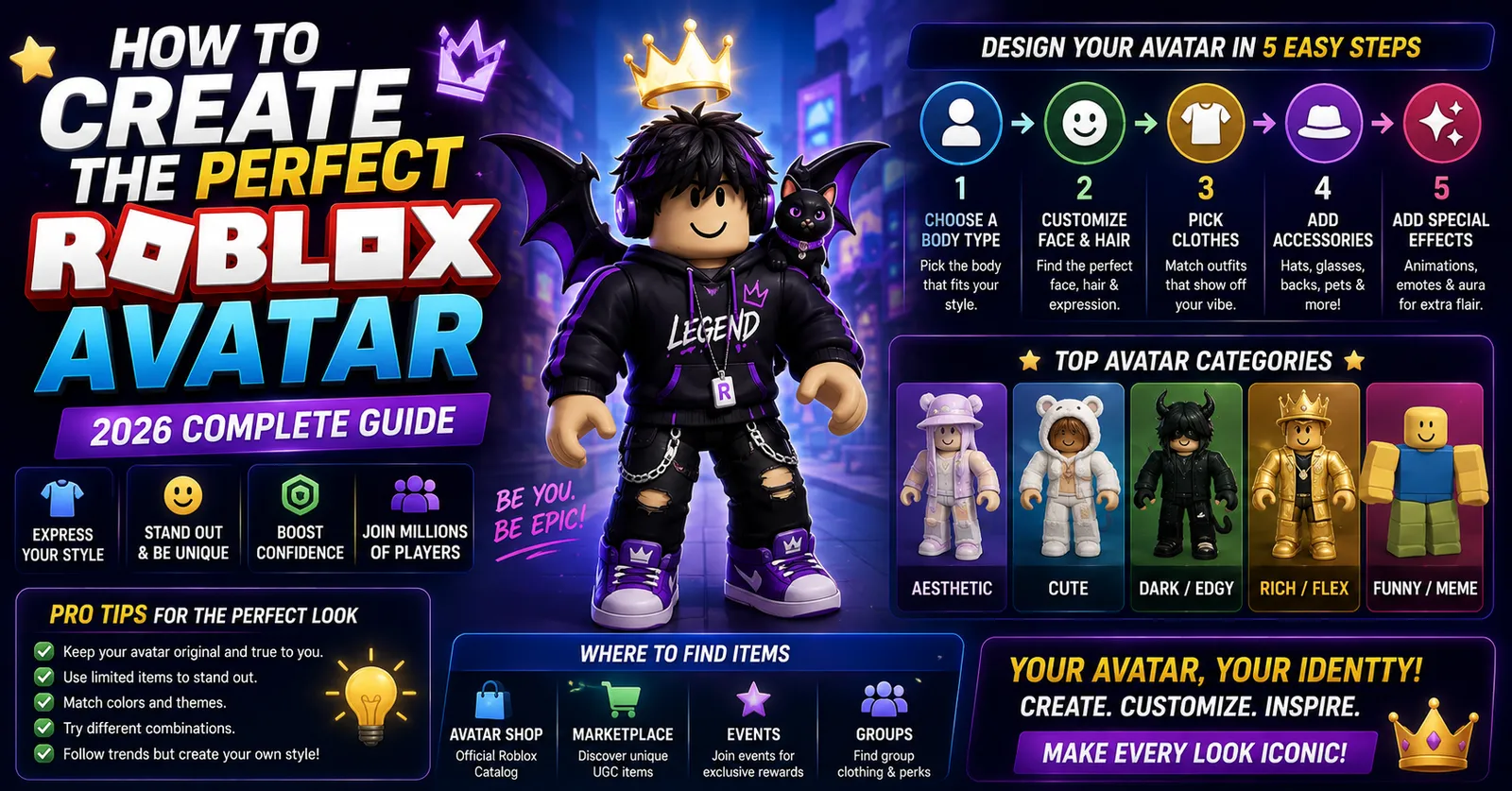
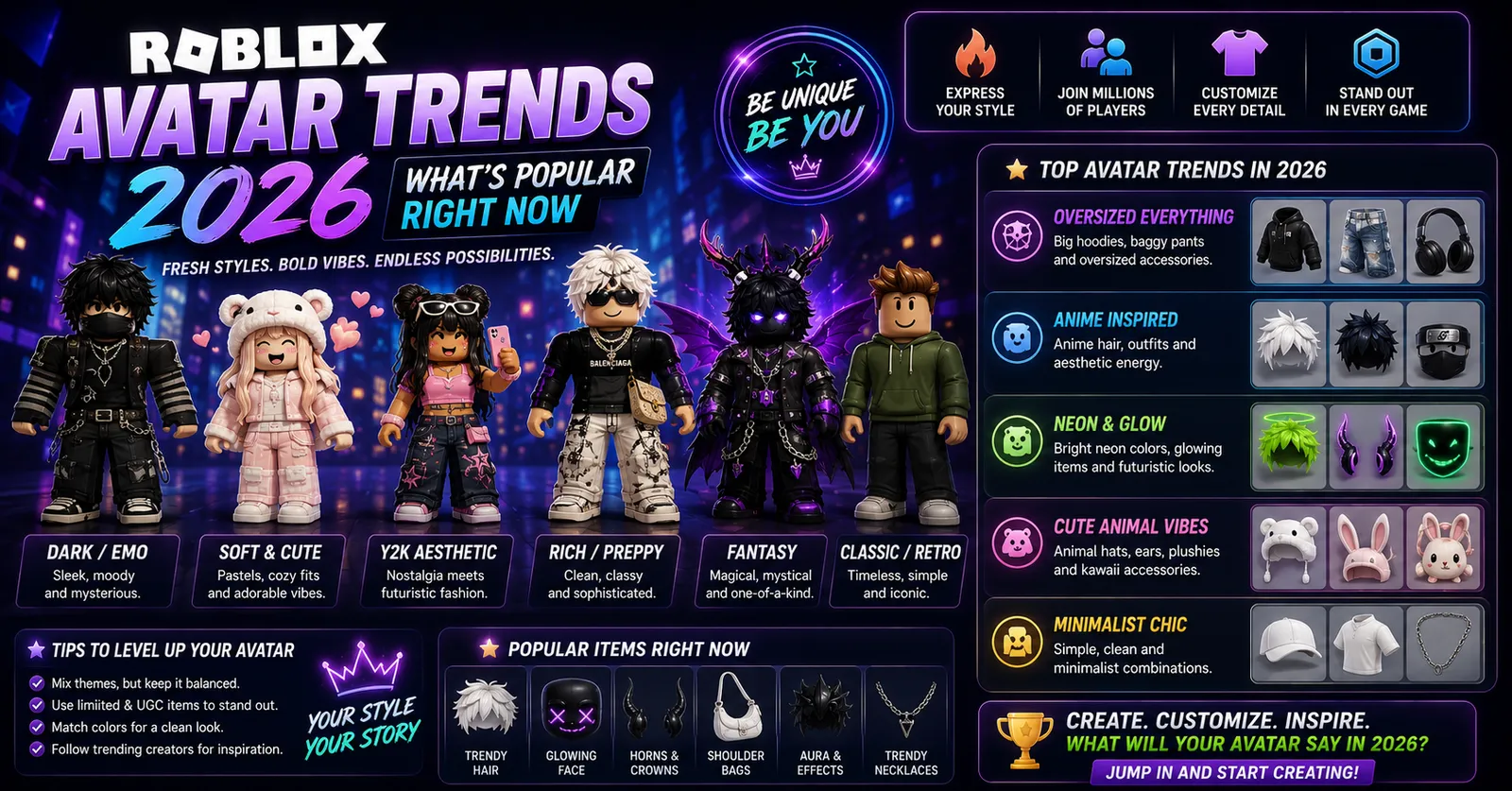
Current Roblox avatar trends reflect a dynamic interplay between nostalgic blocky retro designs, hyper-detailed 3D layered clothing, and stylized subcultural aesthetics like Y2K and cyberpunk. With the maturity of Roblox's User-Generated Content (UGC) marketplace and dynamic cage-mesh clothing, character design has evolved from basic solid-color avatars into an expressive digital fashion medium. This guide analyzes dominant avatar trends, accessory combinations, and styling guidelines shaping the platform.
Trend 1: The Nostalgic Blocky Retro Revival
One of the most prominent aesthetic movements on Roblox is the deliberate return to classic blocky avatars. Characterized by standard R6 articulation rigs, saturated primary colors, and iconic classic faces (such as the classic Smile or Chill face), this trend rejects complex 3D clothing in favor of clean, flat 2D shirts and retro hats like the classic fedora or banded top hat. Retro avatars load instantly and remain the aesthetic gold standard in competitive obby and speedrun communities.
Trend 2: Y2K and Cyberpunk Techwear
Drawing inspiration from late-1990s and early-2000s street fashion, Y2K techwear combines oversized cargo trousers, cropped puffer jackets, miniature sunglasses, and wireless headphone accessories. Key visual signatures include:
- Muted Industrial Palettes: Charcoal, graphite, olive drab, and industrial orange accents.
- Layered Outerwear: Baggy 3D hoodies layered over graphic tees using layered clothing deformation.
- High-Contrast Footwear: Chunky retro trainers or tactical boots that ground the character's silhouette.
Trend 3: Minimalist Pastel and Cutecore
Popularized across roleplay and social experiences, cutecore and pastel aesthetics prioritize soft, harmonious color schemes: cream, blush pink, lavender, and mint. Designers pair oversized soft-knit sweaters with subtle animal ears, delicate hair clips, and low-profile anime-style faces, creating an approachable, friendly character identity.
Trend 4: Monochromatic Cyber-Goth and Dark Aesthetic
Characterized by deep black textures, silver chain accessories, combat boots, and layered leather jackets, cyber-goth styling emphasizes sharp, high-contrast silhouettes. Creators frequently incorporate asymmetrical hair styles and subtle face markings to achieve a futuristic edge that stands out in battle arenas and roleplay lounges.
Avatar Style Comparison Matrix
Compare the dominant avatar trends across hardware performance, budget requirements, and styling complexity:
| Aesthetic Style | Recommended Rig | Average Cost | Performance Overhead | Best Suited Genre |
|---|---|---|---|---|
| Blocky Retro | R6 Classic | Low (Free & Starter Catalog Items) | Minimal (Zero mesh lag) | Obbys, Speedruns, Retro |
| Y2K Techwear | R15 Modern | Moderate (Custom Accessory Combinations) | Moderate (3D Cage Meshes) | Shooters, Battle Arenas |
| Pastel Cutecore | R15 Modern | Moderate (Layered Clothing & Accessories) | Moderate (Multi-hair stacking) | Social Hubs, Tycoons, Roleplay |
| Cyber-Goth | R15 Modern | Moderate (Stylized UGC Combinations) | Moderate (Chain & Mesh Details) | Competitive Matchmaking |
The Cultural Evolution of Roblox Subcultures
Roblox avatar trends reflect dynamic subcultural communities that have flourished over two decades. Early platform culture was dominated by competitive military clans (such as FEAR and the Roblox Assault Team), where uniform discipline and standardized combat fatigues were mandatory. In the mid-2010s, roleplay communities (such as Royale High and Welcome to Bloxburg) popularized high-detail casual fashion.
Today, the platform supports dedicated virtual fashion runways and digital clothing brand partnerships. Community designers collaborate in virtual fashion studios, showcasing seasonal lookbooks that mirror contemporary high-street and haute couture collections, elevating avatar customization into a respected digital art form.
Layered Clothing Rigging: Bone Skinning and Vertex Weights
The technical magic behind 3D layered clothing relies on skeletal bone skinning. When a 3D artist creates a jacket in Blender, vertices are assigned weight values tied to the character's internal skeletal bones (e.g., LeftUpperArm, Torso). When your avatar bends its elbow or raises its arm, the clothing mesh deforms and folds realistically along joint boundaries without tearing seams or exposing underlying body polygons.
How to Style Trending Outfits on a Budget
- Inspect Free Marketplace Assets: Filter the Roblox catalog by 'Price: Low to High' to claim official promotional hairs, hats, and layered jackets that match trending color schemes.
- Combine Complementary Hairs: Use the web browser avatar editor's 'Advanced' accessory menu to stack a basic volume hair with a detailed bangs accessory rather than buying high-priced bundles.
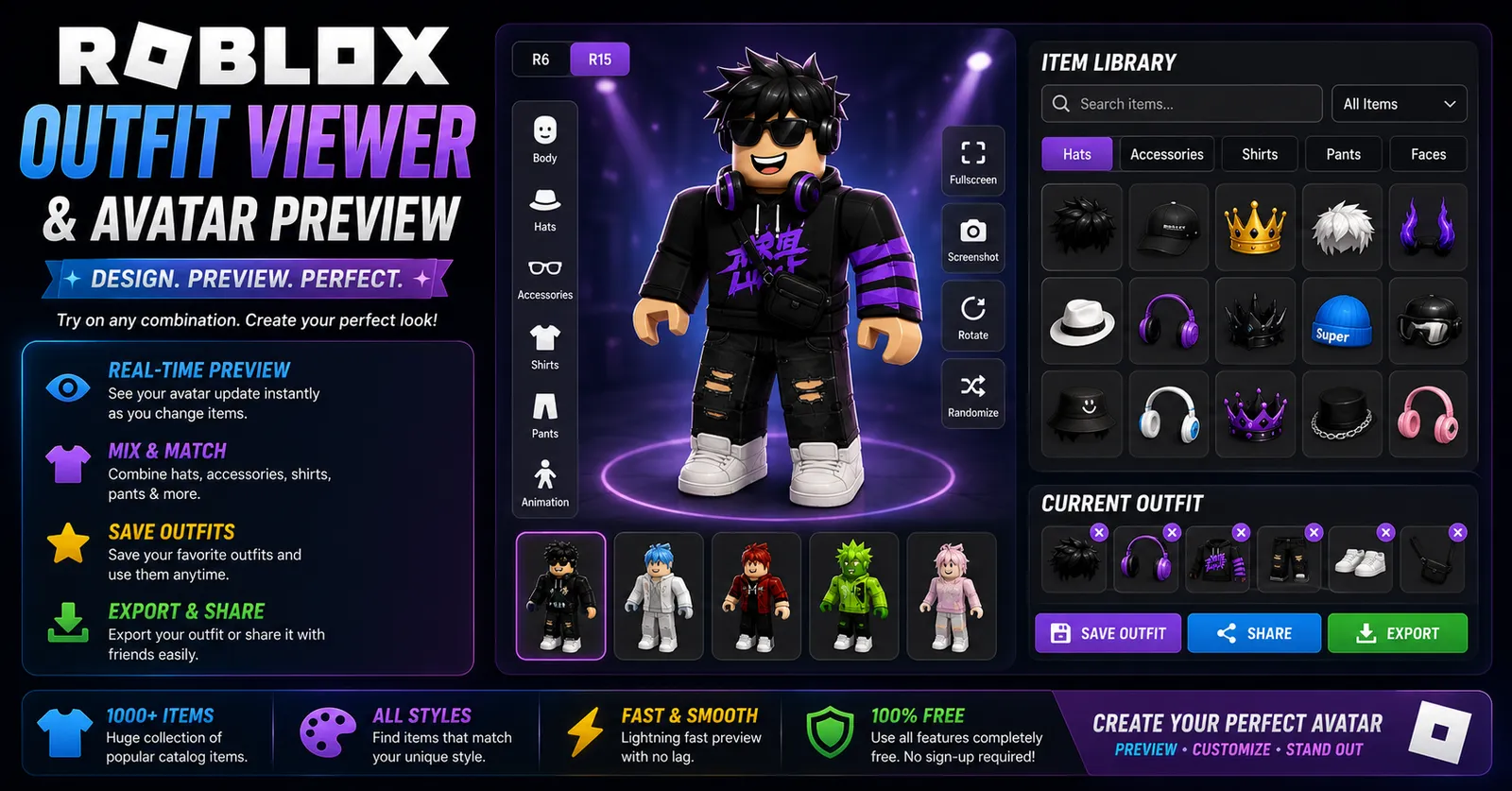
- Test Before Purchasing: Use our Roblox Outfit Viewer to preview asset combinations in real-time 3D before spending currency.
The Creator Economy and User-Generated Digital Fashion
Roblox's transformation into a major digital fashion platform accelerated when the User-Generated Content (UGC) program expanded to independent 3D artists. Utilizing professional modeling software like Blender and texturing tools like Substance Painter, community designers craft thousands of unique apparel items daily.
Understanding polygon optimization helps players curate aesthetic looks without lag. Roblox imposes strict technical polygon and texture resolution thresholds on community UGC accessories so assets load cleanly without degrading frame rates on lower-spec hardware. Items created within these parameters load instantly on mobile phones and educational laptops, preventing frame drops during high-speed gameplay.
Color Theory and Silhouette Stacking in Character Styling
Achieving a cohesive avatar aesthetic requires applying foundational color theory:
- Complementary Color Balancing: Pairing opposing color wheels (such as deep navy denim with warm amber accessories) creates high-contrast visual excitement.
- Monochromatic Layering: Using varied shades of a single color family (charcoal, slate, and ash gray) produces a clean, unified cyber-aesthetic.
- Accessory Stacking Limits: Equip accessories that complement rather than compete. If wearing an oversized wide-brim hat, choose minimalist glasses and low-profile earrings to avoid chaotic polygon clipping.
Dynamic Heads and Real-Time Facial Animation
A recent technological evolution in Roblox avatar customization is the introduction of dynamic heads. Replacing static classic face decals, dynamic heads support real-time facial expressions, eyelid blinks, and mouth phoneme synchronization. Utilizing bone-weighted mesh morph targets, dynamic heads add emotional depth to roleplay avatars while maintaining full compatibility with classic hats and glasses.
Custom Materials and PBR Shading in Modern UGC
With the rollout of Physically Based Rendering (PBR) materials on the Roblox marketplace, creators can author custom SurfaceAppearance maps. These maps include Roughness, Normal, and Metalness textures that respond dynamically to ambient lighting in world environments. Avatars equipped with PBR apparel display realistic fabric sheen, leather gloss, and metallic reflections, setting modern aesthetics apart from legacy plastic shaders.
The Evolution of User-Generated Content (UGC)
When Roblox opened the UGC program to verified 3D creators, catalog diversity expanded exponentially. Instead of relying solely on official developer items, community creators release thousands of daily accessories modeled in Blender and textured in Substance Painter. Understanding polygon limits on community accessories helps players choose well-optimized items that load cleanly without causing visual frame drops.
Explore More Roblox Tools on WinroGames
- Evaluate account asset values and catalog distribution with our Roblox Avatar Analyzer.
- Read our comprehensive technical tutorial on how to create a Roblox avatar.
- Find great free titles to show off your style in our guide on free Roblox games for beginners.
- Read beginner farming strategies in our Grow a Garden Roblox guide.
Frequently Asked Questions
Can I wear layered 3D clothing on classic R6 avatars?
No. Layered clothing requires the bone skinning and joint deformation provided exclusively by R15 and Rthro rigs. R6 avatars support classic 2D shirts and pants only.
Why do some avatars experience visual texture clipping?
Texture clipping occurs when multiple 3D accessories occupy the exact same spatial bounding box. Adjusting your body scaling sliders or choosing accessories designed for your specific head shape resolves mesh clipping.
Are headless avatars still trending?
The official Headless Horseman bundle remains popular in high-end styling, but creative players frequently use low-cost UGC partial illusions to achieve similar minimalist silhouettes on a budget.
How do I equip more than three hats or accessories?
In the web browser version of Roblox, open the Avatar editor, select Accessories, scroll to the bottom right, click 'Advanced', and enter the numeric Asset IDs of up to 10 accessories manually.
Does my avatar aesthetic transfer to all Roblox games?
Most games load your customized avatar appearance. However, some competitive titles (like tactical military shooters) force standardized team uniforms to maintain visual parity between factions.
Sources & Trend Documentation
- Roblox Corporation: Creator Economy & Avatar Fashion Trends Report (2025).
- Roblox Developer Forum: UGC Community Guidelines and Mesh Polygon Best Practices.
- WinroGames 3D Character Analysis Database (2026).