Let me tell you about two players I encountered in the same Valorant lobby last week. Player One had the default profile picture — that sad gray silhouette that screams "I just created this account." Their bio was empty. Their name was "Player8742" with zero customization. Nobody talked to them in agent select. Nobody added them after the match. They might have been the best player in the lobby. I'll never know, because their profile told me nothing and gave me no reason to care.
Player Two had a custom-drawn avatar of a cyberpunk samurai. Their name was styled in a clean, bold font. Their bio read: "Breach main. Immortal peak. I break walls and expectations." It was three lines, perfectly spaced, with personality bleeding through every word. Immediately, teammates were joking with them in chat. Someone recognized their name from a previous match. By round three, they'd received two friend requests.
Same game. Same lobby. Radically different experiences — all because of how they presented themselves before anyone fired a single bullet. That's the power of knowing how to make your gaming profile stand out. It's not vanity. It's visibility. In 2026, with millions of gamers competing for attention across Discord, Steam, Twitch, and in-game platforms, your profile is your handshake, your business card, and your first impression rolled into one. This guide will show you exactly how to make yours unforgettable.
Why Knowing How to Make Your Gaming Profile Stand Out Matters More Than Ever
Gaming has fundamentally changed. Ten years ago, your gaming profile was a small box on a friends list that maybe three people ever looked at. Today, your profile appears in Discord servers with thousands of members, on Twitch panels viewed by potential subscribers, in-game lobbies where teammates decide whether to communicate with you, and on esports platforms where recruiters evaluate potential talent. Your profile is working 24/7, even when you're offline. The question is whether it's working for you or against you.
The numbers back this up. Studies on online community behavior show that profiles with complete, customized information receive 3-4 times more engagement than default or incomplete profiles. Friend requests increase. Party invites increase. Even random queue teammates communicate more with players who have put effort into their gaming profile aesthetic. The psychology is simple: effort signals investment, and people prefer to engage with invested community members. A complete profile says "I care about my presence here." An empty profile says "I might abandon this account tomorrow."
The best part? Creating cool gaming profiles doesn't require design skills, expensive software, or hours of work. It requires knowing a few key strategies and applying them consistently. The barrier to entry is low. The payoff is high. And the competition — the sea of default profiles you'll rise above — is surprisingly easy to beat. Most players simply don't know where to start. You're about to know exactly where to start.
The Anatomy of a Stand-Out Gaming Profile: 6 Elements That Matter
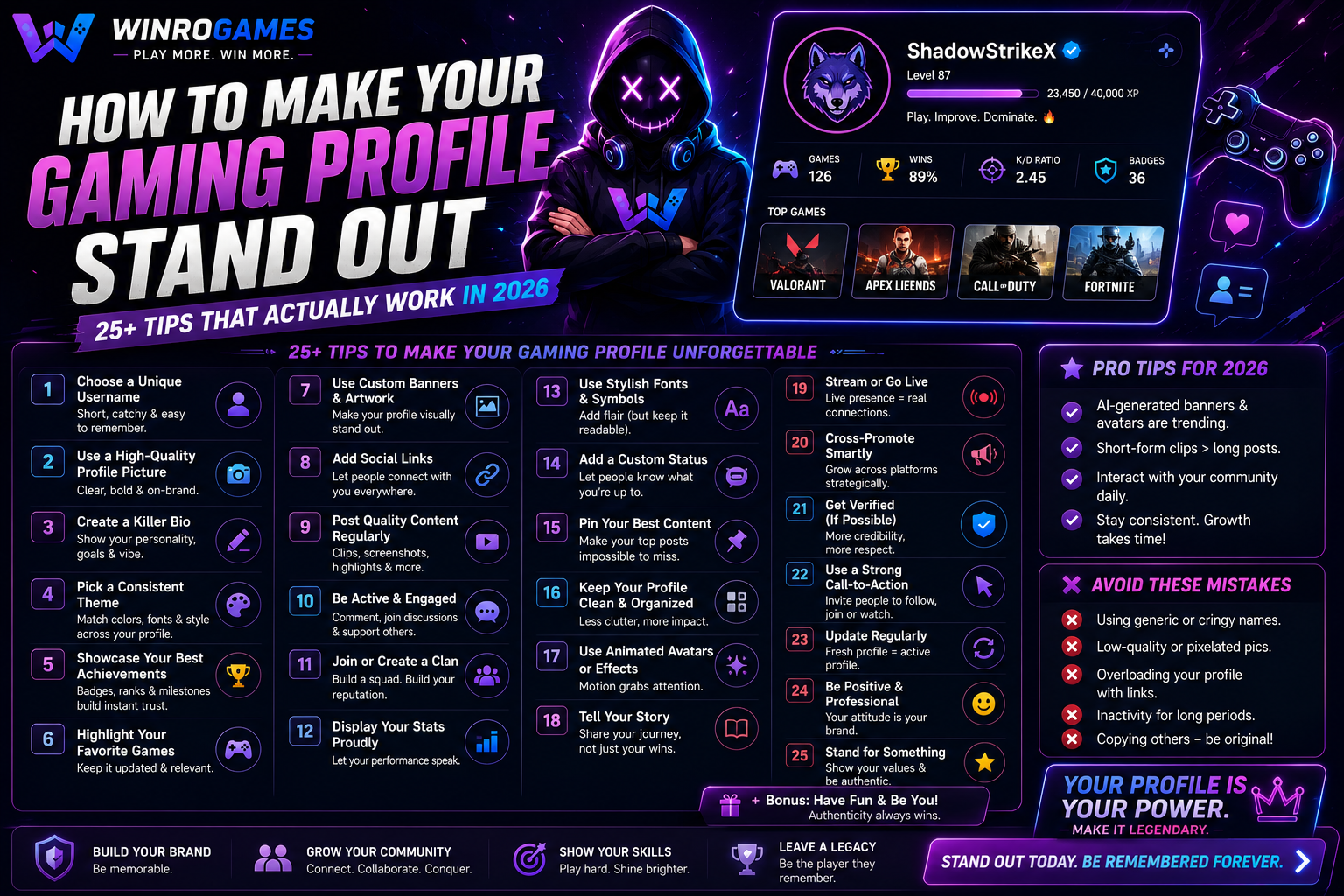
Before we dive into specific gaming profile ideas and techniques, let's map the territory. Every gaming profile has six core elements. Master all six, and your profile becomes a cohesive personal brand. Master only one or two, and you'll improve but still feel incomplete. Here's the full canvas you're working with.
- Profile Picture (PFP) — The visual anchor. Seen first, remembered longest. Should be distinctive at thumbnail size and communicate your gaming identity instantly.
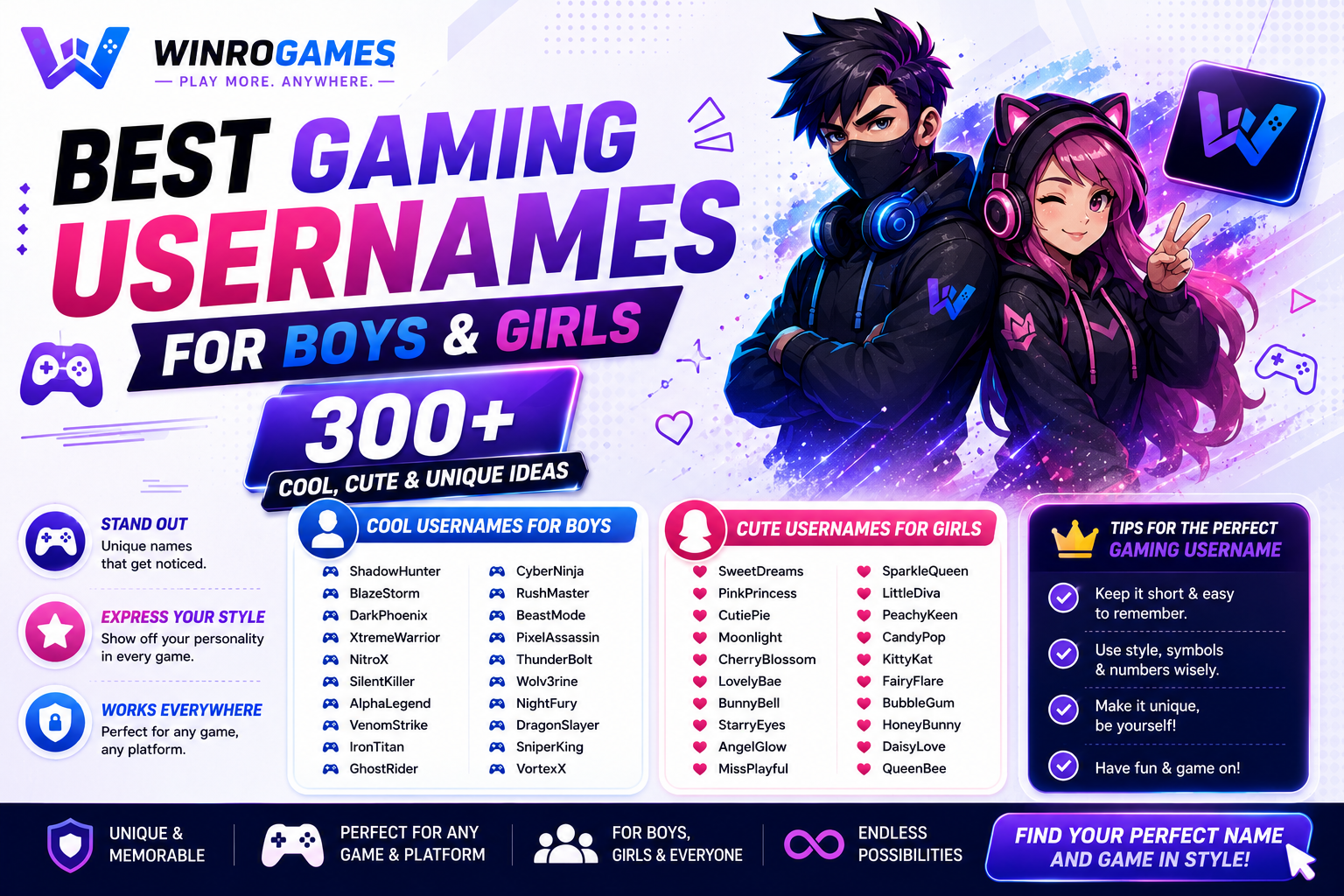
- Username / Display Name — Your verbal identity. Should be memorable, pronounceable, and consistent across platforms. Styled with fonts that match your aesthetic.
- Bio / About Section — Your story in miniature. Who you are, what you play, what makes you interesting. The difference between a profile people skip and a profile people read.
- Banner / Header Image — The background canvas. Sets the mood before anyone reads a single word. Often neglected, incredibly impactful when done right.
- Status / Activity Display — What you're doing right now. Can be functional ("In Queue - Plat 2") or personality-driven ("Tilting in Bronze, send help").
- Connected Links / Social Proof — Where people can find more of you. Twitch, YouTube, Twitter, esports profiles. Signals that you're active in the broader gaming community.
Each of these elements is an opportunity. Together, they create a complete picture of who you are as a gamer. Let's break down how to optimize every single one.
Gaming Profile Picture Ideas That Instantly Grab Attention
Your profile picture is the most important element of your gaming profile. It's the first thing people see. It appears at thumbnail size in friend lists, server members, and in-game lobbies. It needs to be recognizable at 64x64 pixels. That's a brutal constraint, but the best gaming profile picture ideas work within it brilliantly.
The Character Main Approach
If you're known for playing a specific character, your PFP should feature them. A Valorant Jett main with a stylized Jett avatar. A League Yasuo player with custom Yasuo art. This immediately communicates your gaming identity to anyone who recognizes the character. It's also a conversation starter — other mains of the same character will naturally gravitate toward you. The key is using art, not a default game render. Commission a simple custom piece, find a unique fan art (with credit), or use stylized edits that stand out from the thousands of players using the same default character icon.
The Minimalist Logo
A simple symbol, letter, or abstract shape on a colored background. Clean, professional, timeless. This approach works especially well for competitive players and esports-aspiring gamers. Think of the iconic logos of FaZe, Cloud9, or Sentinels — simple shapes that are instantly recognizable. Your personal logo doesn't need to be that polished, but the minimalist approach ensures your PFP reads clearly even at the smallest sizes. Canva has free logo templates. Spend 20 minutes customizing one, and you'll have a PFP that looks professional for years.
The Custom Art Commission
For players serious about their gaming profile aesthetic, nothing beats custom artwork. Commission an artist to draw your gaming persona — your main character in your preferred skin, your ideal gaming avatar, or a stylized portrait. Prices range from $15 for simple sketches to $100+ for detailed illustrations. Platforms like Fiverr, Skeb, and Twitter artist communities are filled with talented creators who specialize in gaming art. This is the ultimate flex — a profile picture that literally nobody else has. When someone recognizes your PFP across platforms, they know exactly who you are because that art belongs to you alone.
The High-Contrast Gaming Edit
Take a screenshot from your favorite game. Crop it tightly. Boost the contrast. Add a subtle color grade. The result is a PFP that looks like a professional gaming photograph. Works especially well for shooters (a sniper scope view), racing games (a car in drift), or any game with dramatic lighting. The key is contrast — bright elements against dark backgrounds read best at small sizes. Avoid busy screenshots with too many elements. One clear subject. Strong contrast. Instant recognition.
The Animated PFP (Where Supported)
Discord Nitro and some gaming platforms support animated profile pictures. A subtle animation — a flickering flame, a spinning logo, a character blinking — catches the eye in a sea of static images. Don't go overboard. Animated PFPs that are too busy become annoying rather than impressive. A single, subtle motion loop is the sweet spot. Think "this image is alive" rather than "this is a mini movie." The animation should enhance, not distract.
How to Write Gaming Bio Ideas That People Actually Read
Most gaming bios are either empty or terrible. "I play games" is not a bio — it's a statement of the obvious. "Add me for duos" is not a bio — it's a request with zero context. The best gaming bio ideas communicate personality, skill, and approachability in a few short lines. Here's how to write bios that make people want to know you.
The Three-Line Formula
The most effective gaming bios follow a simple structure: Line 1 establishes who you are (your main game and role). Line 2 establishes your credibility (rank, achievement, or experience). Line 3 adds personality (a joke, a quote, or something uniquely you).
Example: "Valorant Initiator main. Ascendant peak, climbing to Immortal. I flash for my teammates and apologize when I don't." Three lines. Identity, credibility, personality. Someone reading this bio knows exactly who they're dealing with — a dedicated player with a sense of humor who plays support roles. That's more information than 90% of gaming profiles communicate.
Another example: "Apex Lifeline one-trick. Masters since Season 12. I will absolutely rez you mid-fight. Probably." The personality comes through in that "Probably." It's honest, self-aware, and funny. These are the bios that get friend requests.
The Achievement Highlight
If you've accomplished something notable in gaming — a high rank, a tournament placement, a speedrun record, a rare achievement — your bio should mention it. Not to brag, but to establish context. "Top 500 Overwatch Support" tells teammates that you know what you're doing. "Day One Destiny Player" signals deep game knowledge. "Beat Elden Ring at Level 1" communicates patience and skill. Frame achievements as facts, not flexes. "I hit Radiant in Episode 5" lands better than "I'm Radiant so don't question my calls." Confidence, not arrogance.
The Personality Signal
Your bio should give readers one reason to like you. A shared interest. A sense of humor. A glimpse of who you are outside gaming. "I play guitar between queues." "Coffee enthusiast who also clicks heads." "Married dad gaming after the kids sleep." These small details make you human. They create connection points. Someone reading your bio who also plays guitar now has a reason to reach out beyond just gaming. These personality signals are the difference between a profile people view and a profile people remember.
What to Avoid in Gaming Bios
Just as important as what to include: what to exclude. Avoid generic statements ("I'm a gamer" — we know, you're on a gaming platform). Avoid negativity ("Trash teammates keep me in low elo" — instant red flag). Avoid demands ("Carry me" or "Don't add if you're bad" — nobody wants to play with entitlement). Avoid walls of text — if your bio requires scrolling, it's too long. Avoid outdated memes — what was funny in 2022 is cringe in 2026. Keep it current, keep it positive, keep it short.
Creating a Cohesive Gaming Profile Aesthetic That Ties Everything Together
Individual elements are important, but the magic happens when everything works together. A cohesive gaming profile aesthetic means your profile picture, banner, font choices, bio formatting, and even your status messages feel like they belong to the same identity. This is where cool gaming profiles separate from amateur ones.
Choose Your Color Palette First
Before you change anything else, pick 2-3 colors that will define your profile's visual identity. These colors should appear in your profile picture, your banner, any text highlights, and even your stream overlays if you create content. Dark blue and neon cyan create a cyberpunk, tactical feel. Black and gold signal premium, competitive energy. Pastel pink and white create a soft, approachable aesthetic popular in cozy gaming communities. Red and black communicate aggression and intensity. Your color palette is the invisible thread that ties your profile elements together. Choose it first, apply it everywhere.
Font Consistency Across Platforms
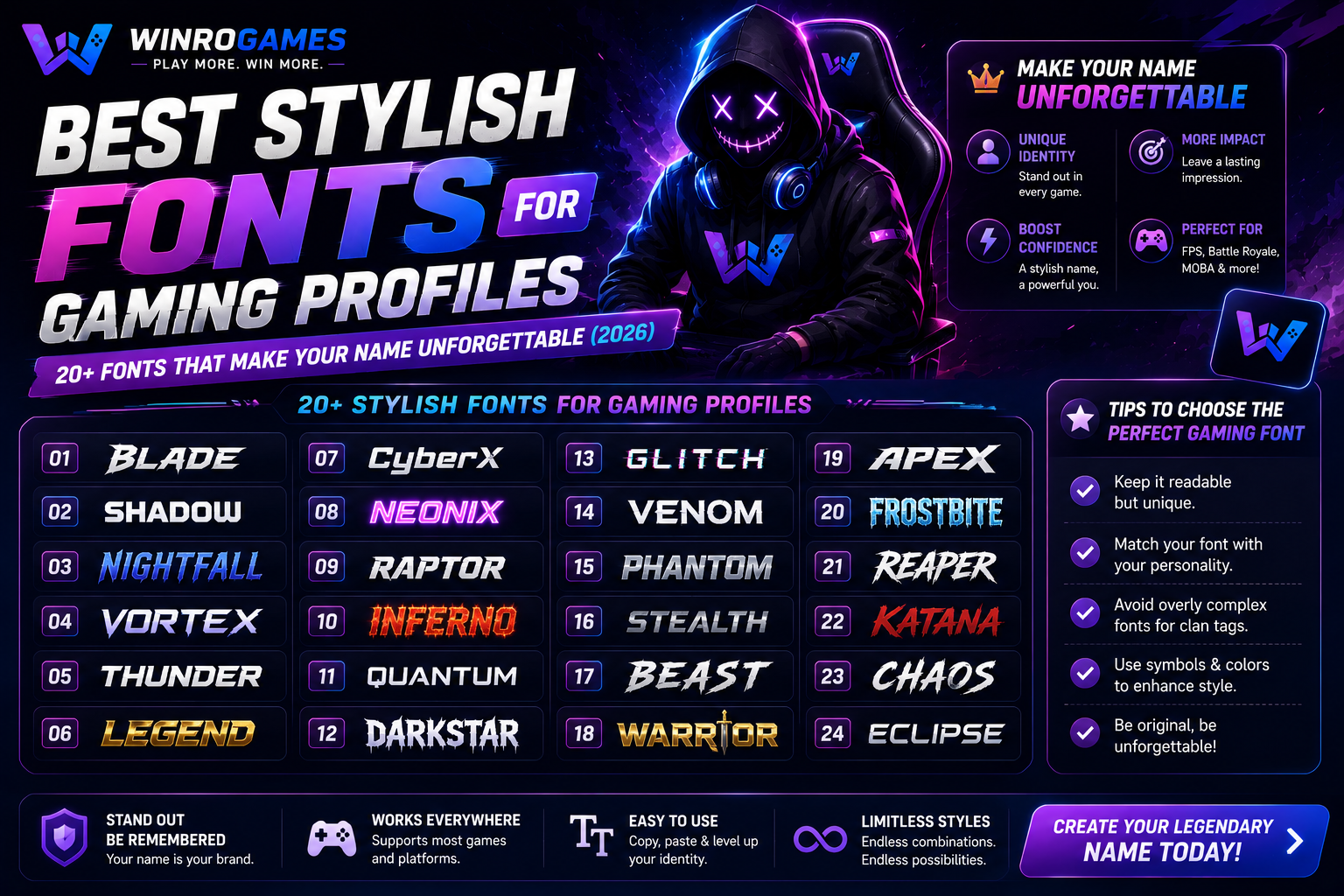
I wrote an entire guide on stylish fonts for gaming profiles, and the principle bears repeating: use the same font style everywhere. If your Discord name uses bold serif Unicode, your Steam name should too. If your Twitch panels use a clean monospace font, your Twitter display name should match. Font consistency is one of the easiest ways to make your gaming profile stand out because so few players do it. When someone encounters you on a new platform and recognizes your font style before they even read your name, you've achieved brand recognition.
Banner Images That Complement, Not Compete
Your banner or header image sets the mood for your entire profile. It should use your chosen color palette. It should be high resolution (blurry banners scream amateur). And it should enhance your profile picture rather than fighting it for attention. A common mistake: putting your main character in both the PFP and the banner. Now you have two versions of the same character competing visually. Instead, use your banner for atmosphere — a landscape from your favorite game, an abstract design in your chosen colors, or a wider shot that contextualizes your PFP. The banner is the stage. The PFP is the performer. Design accordingly.
Status Messages as Micro-Content
Your status or activity display updates regularly — use that dynamic element to keep your profile feeling alive. Rotate statuses based on what you're doing: "Grinding ranked - Plat 2" during competitive sessions. "Learning new agents in unrated" during practice. "Offline touching grass" when you're taking a break. These updates tell visitors that your profile is active and maintained. They also create conversation hooks — someone seeing "Learning new agents" might offer to practice with you. A static "Online" status tells people nothing. A specific status tells them a story.
Platform-Specific Strategies: How to Customize Gaming Profile on Every Platform
Different platforms offer different customization options. Here's how to apply these gaming profile tips on every major platform where gamers gather in 2026.
Discord Profile Mastery
Discord is the central hub of gaming communication, and it offers the most robust profile customization. Your Discord profile includes your avatar, banner, display name, bio, and status — every element we've discussed. Use animated avatars if you have Nitro. Use your banner to showcase your gaming setup, your favorite game environment, or custom art. Your Discord bio supports markdown formatting — use bold, italic, and line breaks to structure information cleanly. Link your other platforms. Join servers relevant to your main games so your profile appears in those communities. A fully optimized Discord profile is the foundation of your gaming identity in 2026.
Steam Profile Excellence
Steam profiles are public by default and appear in friend searches, community hubs, and game forums. Your Steam profile supports custom artwork showcases, achievement displays, game collections, and detailed bios. Use the featured showcase to display your proudest achievement or rarest badge. Use the artwork showcase to display custom profile backgrounds and screenshots. Your Steam bio has generous character limits — use the three-line formula but expand slightly for the PC gaming audience. Steam is also where game reviews live — writing thoughtful, funny, or helpful reviews adds depth to your profile that visitors can explore.
Twitch Profile for Gamers
Even if you don't stream regularly, your Twitch profile is a gaming identity hub. Customize your profile picture and banner with your chosen gaming profile aesthetic. Write a bio that covers your main games and streaming schedule if you have one. Use panels to organize information — About Me, Setup Specs, Social Links, Discord Server. Well-designed panels with consistent icons and fonts make your profile look professional instantly. If you do stream, your profile is your channel's front page. If you don't, your profile is still visible in chat, whispers, and friend lists. Make it count.
In-Game Profiles (Valorant, League, Apex, Fortnite)
In-game profiles have limited customization compared to social platforms, but the constraints make creativity more valuable. Use your player card, banner, and title/ badge combinations to create mini-aesthetics within the game's system. In Valorant, coordinate your player card, title, and gun buddy to tell a story. In League, your summoner icon, border, and honor badge create a visual hierarchy that experienced players read instantly. In Apex, your banner pose, frame, and trackers communicate your legend mastery. Treat these limited customization options as a puzzle — how much personality can you communicate with the tools available?
PlayStation and Xbox Profiles
Console profiles are the most restrictive, but they still offer opportunities. Your PSN avatar or Xbox gamerpic is the most visible element — choose something distinctive. Both platforms allow a bio or "About Me" section — use the three-line formula adapted for console gaming audiences. Your game history and trophy/achievement showcases communicate your gaming preferences automatically. The real power move on console is consistency with your other platforms. When someone adds you on PSN and your avatar, bio style, and game preferences match your Discord and Steam profiles, they know they've found the right person.
Advanced Gaming Profile Ideas That Separate Pros From Amateurs
Once you've mastered the basics, these advanced gaming profile ideas will push your presence to the next level. These are the techniques that competitive players, content creators, and community leaders use to stand out.
Create a Personal Gaming Logo
A simple personal logo — your initials stylized, a symbol that represents your playstyle, an abstract mark in your chosen colors — becomes the unifying element across all your profiles. Use it as your profile picture. Watermark it subtly into your banner. Use it as your Discord server icon. When people see that logo, they think of you. You don't need professional design skills. Canva, LogoMaker, and even AI logo generators can create something clean in under an hour. The key is simplicity — the best logos are the ones you can sketch from memory after seeing them once.
Develop a Signature Phrase or Tagline
A short phrase that appears in your bio, your status, and your social media consistently. It could be gaming-related ("One tap at a time"), humorously self-deprecating ("Professionally washed"), or aspirational ("Climbing to Radiant, one whiff at a time"). The phrase becomes associated with you. Regulars in your Discord servers recognize it. Teammates quote it back to you. It's a branding shortcut that costs nothing but consistency. Pick something that reflects your actual personality and gaming philosophy. Forced catchphrases feel cringe. Authentic ones feel like inside jokes the whole community can share.
Theme Your Profile Around Your Main Game
If 80% of your gaming time is in one game, build your profile aesthetic around that game's visual language. A Valorant player might use the game's geometric, high-contrast art style in their banner and color choices. A Genshin Impact player might incorporate the game's element symbols and color coding. A Souls-like player might embrace the dark fantasy, minimalist aesthetic of those games. This thematic consistency signals deep investment in your gaming community. Other players of the same game will recognize the visual language immediately and feel a connection. Themed profiles attract themed communities.
Showcase Your Setup (Tastefully)
Gaming setup photos are popular for a reason — they give visitors a glimpse into your gaming life. A clean photo of your desk, peripherals, and monitor as your Discord banner. A gear list in your Twitch panels. Your mouse, keyboard, headset, and mousepad choices communicate your seriousness about gaming. But there's a fine line between "tasteful setup showcase" and "showing off expensive gear." Focus on the aesthetic, not the price tags. Good lighting and clean composition matter more than having the most expensive equipment. A budget setup photographed well looks better than a premium setup photographed poorly.
Link Your Esports and Competitive Profiles
If you compete — even casually — link your tracker.gg, op.gg, or tournament platform profiles. This transparency signals confidence in your skills. Visitors can verify your rank and stats, which builds credibility faster than any bio claim. It also connects your gaming profile to objective performance data. A bio that says "Diamond support main" is fine. A bio that says "Diamond support main" with a link to your op.gg showing your 60% win rate on your main champion is convincing. Data backs up claims. Let your stats speak alongside your personality.
Common Mistakes That Ruin Cool Gaming Profiles
I've analyzed thousands of gaming profiles. These are the mistakes that repeatedly undermine otherwise solid efforts. Fix these, and your profile instantly improves.
- The Empty Bio. Nothing says "I don't care" like a completely blank bio. It takes two minutes to write three lines. An empty bio is a missed opportunity that costs you connections every day.
- The Default PFP. That gray silhouette or generic game icon tells visitors you haven't invested in your presence. Your profile picture is the most visible element of your profile. A default PFP is like showing up to an interview in pajamas.
- Inconsistent Naming Across Platforms. "ShadowKnight" on Discord, "xX_Shadow_xX" on Steam, "ShadowKnight421" on Twitch. When someone tries to find you across platforms, they can't. Pick one name and use it everywhere. Minor variations for platform restrictions are fine. Wildly different names on every platform are not.
- Cluttered Banners. A banner so busy with characters, logos, text, and effects that it becomes visual noise. Your banner should set a mood, not tell a novel. One focal point. Clean composition. Your chosen color palette.
- Negativity in Bios. "Don't add me if you're trash." "Solo queue hell." "Teammates are always bad." Negative bios repel exactly the people you want to attract — positive, skilled players looking for good teammates. Negativity in your bio is a self-fulfilling prophecy.
- Outdated Information. A bio that says "Plat 2 peak" when you've been Diamond for three seasons. A status that's been "Away" for six months. Outdated information suggests an abandoned profile. Update your bios seasonally.
- Copying Famous Players. Using the exact same PFP style, bio format, and aesthetic as a popular streamer. Imitation is visible from a mile away. Inspiration is fine. Direct copying reads as unoriginal. Build your own identity.
Quick Reference: Stand Out Gaming Profile 2026 Checklist
Use this checklist to audit your current profiles and implement every tip in this guide. A complete profile in 2026 should check every box.
| Element | Standard | Status |
|---|---|---|
| Profile Picture | Custom image (art, logo, or edit). Recognizable at 64x64px. Uses your color palette. | ☐ |
| Username | Consistent across platforms. Styled with intentional font choice. Pronounceable and memorable. | ☐ |
| Banner | High resolution. Complements PFP. Uses color palette. Sets mood without clutter. | ☐ |
| Bio | Three lines minimum. Covers identity, credibility, and personality. Updated within last 3 months. | ☐ |
| Status | Specific and current. Rotates based on activity. Adds personality or useful info. | ☐ |
| Links | Connected social platforms. Competitive profiles linked. Easy to find more of you. | ☐ |
| Color Palette | 2-3 consistent colors used across PFP, banner, and any visual elements. | ☐ |
| Font Consistency | Same font style applied across Discord, Steam, Twitch, and social platforms. | ☐ |
Real Examples: Gaming Profiles That Get It Right
Let's analyze three fictional profiles built using the principles in this guide. These examples demonstrate how all the elements work together.
Example 1: The Competitive FPS Player
Platform: Discord + Valorant
PFP: Custom minimalist logo — a geometric wolf head in cyan on black background.
Name: 𝐕𝐨𝐢𝐝𝐖𝐨𝐥𝐟 (bold serif Unicode)
Banner: Abstract dark gradient with cyan geometric lines matching the logo.
Bio: "Valorant Initiator main. Immortal 2 peak, Radiant hopeful. I flash, you frag. Let's run it."
Status: "In Queue — Immortal 2 | 47RR"
Why it works: Every element uses the cyan/black color palette. The wolf logo is distinctive and memorable. The bio follows the three-line formula perfectly. The status updates dynamically with rank progress. This profile screams "competitive player who takes improvement seriously."
Example 2: The Variety Streamer
Platform: Twitch + Discord
PFP: Custom chibi art of themselves with pink hair and a gaming headset.
Name: 𝓢𝓸𝓯𝓽𝓦𝓱𝓲𝓼𝓹𝓮𝓻 (script Unicode)
Banner: Cozy gaming setup photo — warm lighting, plants, pink peripherals.
Bio: "Variety streamer with a cozy vibe. Horror games on Wednesday, farming sims on Sunday. Coffee addict ☕ | She/Her"
Status: "Live Now! Playing Phasmophobia — come watch me scream"
Why it works: The pink-and-cream color palette is consistent everywhere. The script font matches the cozy, approachable brand. The bio uses the three-line formula adapted for streaming. The status drives viewers to live content. This profile feels like a person you want to hang out with.
Example 3: The Esports Team Member
Platform: Steam + Twitter
PFP: Team logo — a stylized falcon in red and gold.
Name: 𝙵𝚊𝚕𝚌𝚘𝚗_𝙰𝚌𝚎 (monospace Unicode)
Banner: Team jersey photo with the full roster in matching red and gold.
Bio: "Starting Duelist for Falcon Esports. VCT contender. Scrimming daily, improving constantly. Business: [email]"
Why it works: The team branding is unified — everyone uses the same logo, color palette, and naming convention. The bio communicates professional status. The banner shows team unity. This profile signals "we are an organization, not just a group of friends."
How to Make Your Gaming Profile Stand Out: The 30-Minute Action Plan
Reading about profile optimization is one thing. Doing it is another. Here's a timed action plan that takes exactly 30 minutes and transforms your profile from default to distinctive.
- Minutes 1-5: Choose your color palette. Pick 2-3 colors. Write them down. These are your profile's visual rules from now on.
- Minutes 5-10: Update your profile picture. If you have custom art, use it. If not, create a minimalist logo on Canva or find high-contrast game screenshot. Apply your color palette.
- Minutes 10-15: Write your bio using the three-line formula. Identity. Credibility. Personality. Keep it under 150 characters. Read it out loud. Does it sound like you?
- Minutes 15-20: Style your display name. Use a font changer tool to find a font that matches your aesthetic. Test it at small sizes. Apply it to your primary platform.
- Minutes 20-25: Find or create a banner image. It should use your color palette and complement your PFP. Abstract designs work if you don't have custom art. Canva has free banner templates.
- Minutes 25-30: Update your status. Make it specific to what you're doing right now. Add links to your other platforms. Do a final review — does everything feel like it belongs together?
That's it. Thirty minutes. You've gone from a default profile to a customized gaming identity that communicates who you are before you say a word. Do this once. Maintain it seasonally. Watch how differently people interact with you online.
Your Profile Is Working Right Now. Make It Work For You.
Every minute your gaming profile exists online, it's making an impression on someone. A potential teammate scrolling through a Discord server. An opponent who looked you up after a close match. A recruiter evaluating players for a community tournament. A content creator looking for collaborators. Your profile is your ambassador — it speaks for you when you're not in the room.
The question isn't whether you can afford to invest time in your gaming profile. The question is whether you can afford not to. In a gaming world where attention is the most valuable currency, a stand-out profile earns you attention that your gameplay alone never could. It opens doors. It starts conversations. It turns random queue encounters into lasting gaming friendships.
You don't need design skills. You don't need expensive software. You don't need a professional branding agency. You need 30 minutes, the strategies in this guide, and the willingness to present yourself intentionally rather than settling for default settings. The tools are free. The techniques are proven. The only missing piece is you deciding that your gaming identity deserves better than a gray silhouette and an empty bio.
Make the decision. Run the 30-minute action plan. Update your profiles. Then watch what happens the next time you join a lobby, a server, or a stream chat. When someone recognizes your name, comments on your PFP, or quotes your bio back to you — that's when you'll understand. A stand-out gaming profile isn't just about looking good. It's about being seen. And once you've experienced what it feels like to be seen in gaming spaces, you'll never go back to blending in.
What's the one element of your gaming profile you're going to update first? Drop your platform and your plan in the comments — I read every single one. And if you've already customized your profile using tips like these, share it so others can see what's possible when you stop settling for default settings.