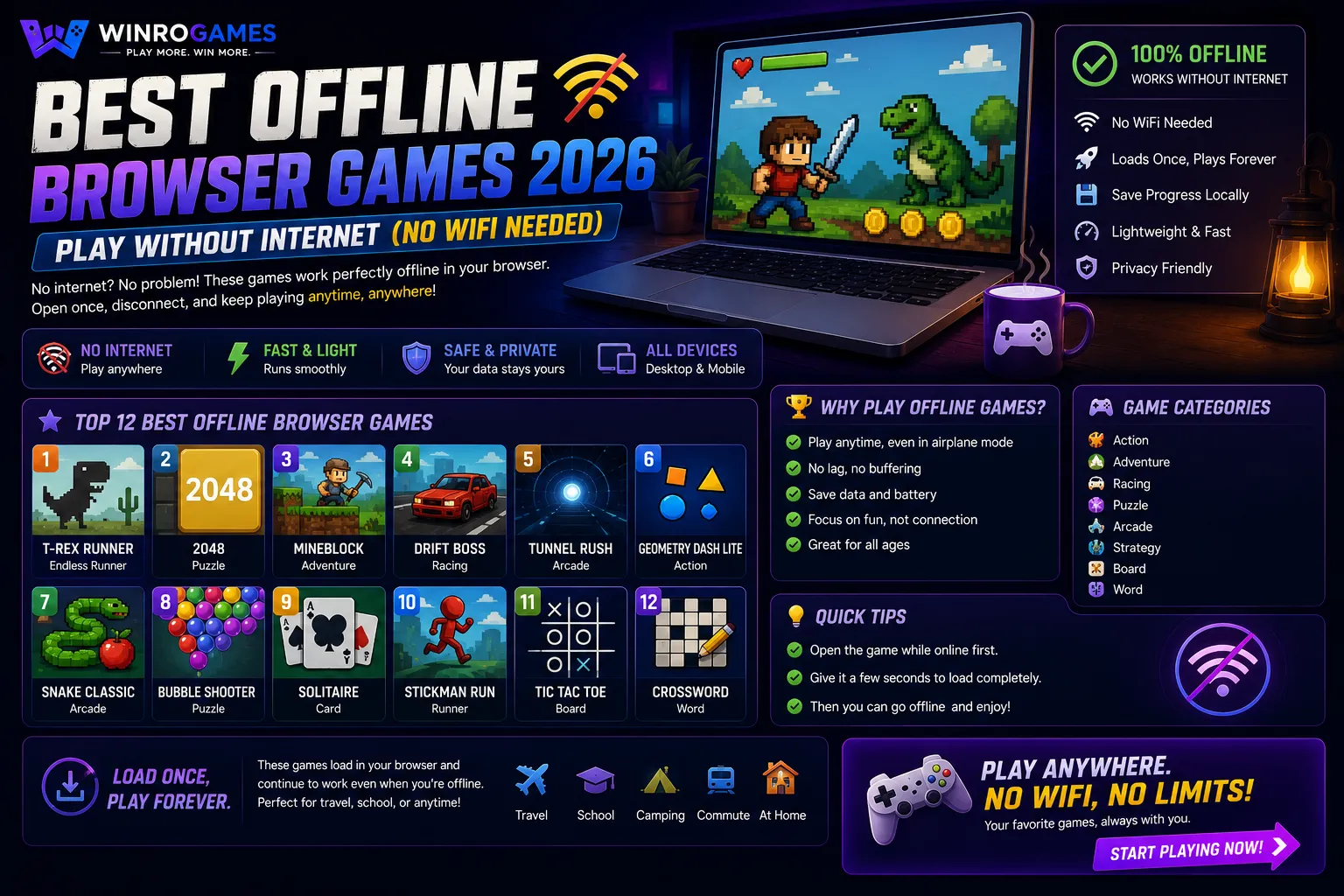
The best offline browser games can be played completely without an active internet connection, making them dependable entertainment options on airplane flights, subway commutes, remote travel destinations, and laptops in low-connectivity areas. By utilizing modern web standards such as Service Workers, the Cache Storage API, and IndexedDB, progressive web applications store their entire client-side execution bundle locally on your device. Once loaded initially, these games run smoothly without sending a single network packet, delivering complete gameplay wherever you are.
The Technical Architecture of Offline Web Applications
In traditional client-server web browsing, every page interaction, script execution, and image display requires sending HTTP GET requests over an active network connection to remote servers. If your internet connection drops, the browser fails and displays a standard network error screen. Offline browser games bypass this dependency entirely through three integrated web technologies:
- Service Worker Thread: A specialized background script that acts as a client-side proxy server between your browser and the network. When your device is offline, the Service Worker intercepts outgoing requests and serves pre-cached HTML, CSS, JavaScript, and audio assets directly from local disk storage.
- Cache Storage API: A dedicated, programmatically controlled browser storage system that stores the complete game application shell permanently on your hard drive until explicitly updated.
- IndexedDB & LocalStorage: Robust client-side database engines that store your game state, high scores, puzzle configurations, and user preferences locally, ensuring your progress persists across browser restarts.
Service Worker Caching Strategies for Browser Games
Game developers implement specific caching patterns to balance offline availability with automatic software updates:
- Cache-First Strategy (Optimal for Game Assets): When the browser requests game assets (such as tile sprites, sound effects, or font files), the Service Worker checks local Cache Storage first. If found, assets render instantaneously from disk, eliminating server round-trip latency.
- Stale-While-Revalidate (Optimal for Score Logic): Serves cached board data immediately to eliminate waiting times, while simultaneously pinging remote servers in the background to fetch new daily challenge levels if a connection is detected.
- Network-First with Cache Fallback: Used for global leaderboards, attempting to fetch live player rankings first and gracefully falling back to local personal bests when offline.
Top Offline Games to Play Without WiFi on WinroGames
1. 2048 (Sliding Number Matrix)
Gabriele Cirulli's open-source 2048 is one of the most reliable offline games ever built. Operating on a minimalist 4x4 coordinate array, the entire game engine consists of lightweight vanilla JavaScript and HTML5 canvas rendering. After loading our 2048 puzzle game once, you can switch your device to airplane mode and slide tiles indefinitely. High scores and board layouts save automatically to local browser storage.
2. Mahjong Solitaire (Layered Tile Matching)
Mahjong Solitaire is exceptionally suited for offline play once initial tile assets and layout logic are loaded into memory. Evaluate tile layers and match exposed pairs without transmitting network requests. Play our responsive Mahjong Solitaire game without consuming mobile data.
3. Sudoku Daily Puzzles (Algorithmic Logic Generator)
Our implementation of Sudoku online features client-side algorithmic puzzle generation. Rather than fetching pre-generated boards from a remote server database, the game generates valid Latin Square puzzles directly in your browser tab using recursive backtracking logic, giving you unlimited unique puzzles completely offline.
4. Browser Puzzle Architecture (Client-Side Logic)
Logic puzzles like Sudoku and Mahjong Solitaire provide engaging offline entertainment because client-side state management and grid calculation logic require zero server communication. You can solve number matrices or flag mine fields without relying on cellular data or unstable public WiFi networks.
Offline Storage and Resource Matrix
Review the storage footprint and local caching methods across our offline titles:
| Game Title | Local Cache Size | State Storage Engine | Session Length | Hardware Compatibility |
|---|---|---|---|---|
| 2048 | < 150 KB | LocalStorage (High Scores) | 5 to 15 minutes | Desktop, Laptop, Tablet, Mobile |
| Mahjong Solitaire | < 400 KB | LocalStorage (Game State) | 5 to 15 minutes | Desktop, Laptop, Tablet, Mobile |
| Sudoku | < 250 KB | IndexedDB (Candidate Pencil Marks) | 10 to 25 minutes | All Modern Web Browsers |
| Spider Solitaire | < 400 KB | IndexedDB (Tableau State Matrix) | 12 to 25 minutes | Desktop, Laptop, Tablet |
Step-by-Step Guide: Preparing Your Browser for Offline Gaming
To ensure your favorite browser games work reliably during flights or transit without WiFi, follow this preparation checklist:
- Visit the Page While Connected: Open the game URL while connected to your home or office internet network.
- Allow Asset Caching: Keep the browser tab open for five seconds to allow the Service Worker to register and complete background caching of canvas scripts and sound effects.
- Bookmark the URL: Add the page to your browser's bookmarks bar or home screen so you can navigate directly to it without using search engines.
- Test in Airplane Mode: Before departing, toggle your laptop or phone into Airplane Mode and refresh the tab to confirm the game loads instantly from local storage.
Storage Quotas and Cache Persistence Policies Across Browsers
Modern web browsers manage offline data storage using dynamic quota allocation. Google Chrome and Microsoft Edge allocate up to 60% of available disk space to web applications, with a maximum per-origin threshold of 2 GB. Apple Safari on iOS and macOS allocates an initial 1 GB quota per domain, prompting the user for approval if storage demands exceed that boundary.
To prevent the operating system from clearing cached games during low-disk cleanup routines, web applications can request Persistent Storage using the JavaScript Storage API (navigator.storage.persist()). When granted persistent status, the browser guarantees that cached game assets and saved high scores will never be automatically evicted unless explicitly cleared by the user.
Installing Games as Standalone Desktop Apps (PWA)
Modern browsers allow progressive web apps to run in dedicated app windows outside the browser interface:
- Google Chrome & Microsoft Edge: Look at the right side of the address bar for the 'Install App' icon (a computer monitor with a downward arrow). Clicking install creates a desktop shortcut that launches the game in a clean window without tabs or search bars.
- Apple Safari on iOS: Tap the Share button at the bottom of the screen, scroll down, and select 'Add to Home Screen'. The game appears as an app icon on your home screen, functioning fully offline in fullscreen mode.
Explore More Gaming Insights on WinroGames
Learn more about modern web technologies and explore our complete collection:
- Discover more logic puzzles in our dedicated puzzle games category.
- Learn how web games shifted away from legacy plugins in our article on how browser games changed after Flash.
- Read our complete guide to free games with no download required.
- Review our site testing methods and editorial review guidelines on the WinroGames standards page.
Frequently Asked Questions
Do these cached games consume cellular data in the background?
No. When a browser game executes via an active Service Worker without internet connectivity, zero data packets are sent over cellular or metered connections.
Will clearing my browser history delete my saved games?
Clearing standard browsing history will not delete games. However, selecting 'Clear Cookies and Site Data' or 'Clear Cache' will remove stored Service Worker caches and local progress until you visit the site online again.
Can you install cached web games to your home screen?
Yes. Progressive Web Apps allow you to click 'Install' in Chrome or 'Add to Home Screen' in Safari to launch cached games in clean, standalone fullscreen windows without browser address bars.
Are offline web games safe from malware?
Yes. Offline browser games run entirely within the web browser's isolated security sandbox, preventing them from accessing system files or modifying local operating system settings.
What happens when an offline game receives a software update?
When your device reconnects to the internet and visits the site, the Service Worker detects updated asset hashes, downloads new bundles in the background, and prompts you to refresh to load the latest release.
Sources & Technical Specifications
- Mozilla Developer Network (MDN). Service Worker API Specification and Caching Guide (2025).
- World Wide Web Consortium (W3C). Indexed Database API 3.0 Specification.
- Cirulli, Gabriele. 2048 Architecture & Offline LocalStorage Mechanics (MIT License).
- WinroGames Progressive Web Application Engineering Standards (2026).