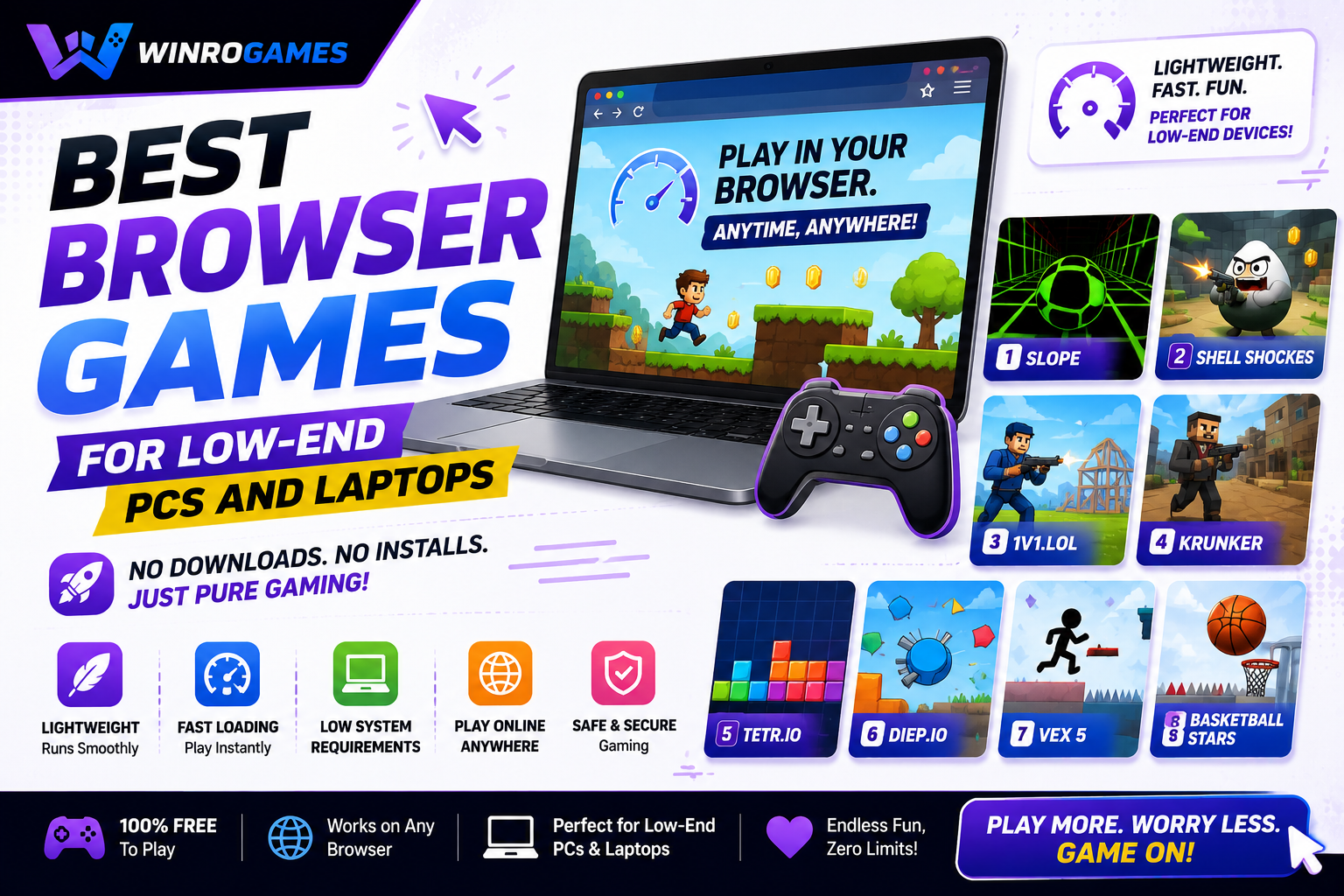
I know that pain. You fire up a game you're excited about, and within seconds your laptop sounds like a jet engine preparing for takeoff. The frame rate drops into single digits. The cursor moves like it's wading through mud. The thermal throttling kicks in and suddenly even closing the game takes 45 seconds. You stare at your "gaming" laptop from 2016 — the one with 4GB of RAM and integrated graphics that struggle to render PowerPoint transitions smoothly — and you wonder if you're just locked out of gaming until you can afford an upgrade.
You're not. You're really not.
I've been there. For years, my primary gaming machine was a $300 laptop with a processor that could charitably be described as "present." And during those years, I discovered something important: browser games have become genuinely excellent, and the best ones are specifically designed to run on hardware that would choke on a modern spreadsheet. The developers behind these games know their audience — students on Chromebooks, office workers on locked-down machines, gamers in regions where high-end hardware is unaffordable. They optimize accordingly.
This list isn't a compromise. These aren't "good games if you have no other options." These are legitimately great games that just happen to run on anything with a browser. I've organized them by genre so you can find your flavor, and every single one has been tested on hardware that wouldn't meet the minimum requirements for Solitaire in 2007. Let's turn your potato into a gaming rig.
Before We Start: How to Optimize Your Browser for Gaming
Even lightweight browser games benefit from a few quick optimizations. These tips take two minutes and can mean the difference between smooth gameplay and a slideshow.
- Close other tabs. Every open tab consumes RAM. That YouTube video paused in the background? It's eating memory your game could use. Close everything except the game tab.
- Use a lightweight browser. Chrome is a RAM hog. On low-end machines, try Firefox, Brave, or even Microsoft Edge — which has surprisingly good performance on modest hardware. For the absolute lightest experience, Opera Mini or Pale Moon can breathe life into ancient systems.
- Enable hardware acceleration. In your browser settings, make sure "Use hardware acceleration when available" is turned ON. This lets the browser use your GPU (even integrated graphics) for rendering, which is faster than CPU-only rendering.
- Keep your browser updated. New versions often include performance improvements. The difference between a two-year-old browser and the latest version can be significant for HTML5 game performance.
- Lower the game's quality settings. Many HTML5 games have built-in graphics options. Drop to "Low" or "Medium" if available. The visual difference is usually minimal, but the performance gain can be huge.
- Plug in your laptop. Windows and ChromeOS often throttle performance on battery power to save energy. Plugging in unlocks full processing speed.
Done? Good. Now let's find you some games.
.IO Games: Multiplayer Madness That Runs on a Toaster
The .io genre was practically designed for low-end hardware. Simple graphics, lightweight netcode, and gameplay that prioritizes quick sessions over visual spectacle make these perfect for potato PCs.
1. Slither.io — The One That Started It All
Runs on: Literally anything with a browser. I've seen this run on a Raspberry Pi.
You're a neon worm in a dark arena. Eat glowing dots. Grow longer. Circle smaller players and watch them crash into your tail. The genius of Slither.io is that it's genuinely fun at any performance level. The graphics are so simple — colored lines on a dark background — that your computer barely notices it's running. Yet the gameplay tension when you're ranked #1 and three giant worms are circling you is as intense as any AAA thriller. This game has been played billions of times for a reason. It's the ultimate low-end gaming equalizer.
2. Agar.io — The Cell-Eating Classic
Runs on: Any browser, any device, any internet connection.
Before Slither.io, there was Agar.io. You're a tiny cell in a petri dish full of other cells. Eat smaller cells to grow. Avoid bigger cells that want to eat you. Split yourself in half to catch fleeing prey. The graphics are literal circles with faces. Your GPU will be bored. Your brain, however, will be fully engaged — there's a surprising amount of strategy in positioning, splitting, and knowing when to hide in the green virus blobs for protection. The game spawned an entire genre and still holds up perfectly.
3. Diep.io — Agar.io With Tanks
Runs on: Any device that can open Chrome.
Take the growth mechanics of Agar.io and add tanks, bullets, and a skill tree. You start as a basic tank, destroy shapes and other players to level up, and choose upgrades that change your playstyle — faster movement, stronger bullets, drone minions, sniper range. The upgrade system adds a layer of depth that keeps matches interesting. The geometric art style means there's nothing graphically demanding. Just circles, squares, and pentagons shooting at each other. It runs perfectly on hardware from 2010.
4. Paper.io 2 — Territory Control at Its Finest
Runs on: Budget Chromebooks, ancient laptops, probably a smart fridge.
You control a colored square leaving a trail. Connect your trail back to your territory, and everything inside becomes yours. Step outside your zone, and anyone can clip your tail to eliminate you. The flat 2D art style is clean enough to pass as a data visualization — which means your integrated graphics won't even break a sweat. Games last 2–3 minutes. The risk-reward loop of "do I play safe or make a dash for that enemy's territory?" is perfectly tuned. I've lost hours to this on a laptop that struggles to open a PDF.
5. Lords of the Arena — Auto-Battler Strategy
Runs on: Low-end laptops, any Chromebook, even aging tablets.
This one's lesser-known but perfect for strategy fans on low-end hardware. You build a team of fantasy heroes, place them on a grid, and watch them auto-battle opposing teams. The strategy is all in the team composition, positioning, and item builds — no real-time reflexes required. Because the battles resolve automatically with simple 2D animations, the performance demand is near zero. It's like playing chess with RPG characters, and it runs in any browser window without a hiccup.
Puzzle & Strategy Games: Deep Thinking, Minimal Hardware
Puzzle games are the perfect match for low-end hardware. They don't need fast frame rates or complex physics — just a clear interface and clever design.
6. Wordle Unlimited — Endless Vocabulary Training
Runs on: Even a browser from 2010 could handle this.
The official Wordle limits you to one puzzle per day. Wordle Unlimited removes the cap. Six guesses, five letters, green and yellow tiles. The interface is literally just colored squares on a white background. Your computer is doing more work rendering this text than it would running Wordle. Yet the cognitive engagement — balancing letter exploration against confirming known positions — is genuinely satisfying. There are variants for different word lengths and difficulty levels. A perfect five-minute brain break that won't make your laptop fan spin up.
7. 2048 — The Numbers Game That Ate Everyone's Free Time
Runs on: Anything. I'm pretty sure this could run on a calculator.
Slide numbered tiles on a 4x4 grid. Combine matching numbers. Try to reach the mythical 2048 tile. The graphics are colored squares with numbers in them. The processing power required is functionally zero. But the strategic depth — corner-building techniques, directional discipline, planning four moves ahead — makes this one of the most replayable puzzle games ever created. It's the perfect game for a computer that can't handle anything else. No timer. No pressure. Just numbers and the quiet satisfaction of watching them combine.
8. Kingdom Rush — Tower Defense Perfection
Runs on: Low-end PCs, older Chromebooks, modest laptops.
The original Kingdom Rush is available as a browser game and it's still the gold standard of tower defense. Place archer towers, mage towers, barracks, and artillery along a path to stop waves of enemies. The 2D cartoon art style is charming without being demanding. The browser version is optimized to run on school computers — which means it's optimized for low-end hardware. The campaign is substantial, the hero units add strategic variety, and the post-game challenges will test even veteran TD fans. This game has no right being as good as it is while running on integrated graphics from 2012.
9. Bloons TD 5 — Monkey-Based Balloon Defense
Runs on: Surprisingly well on low-end hardware. The 2D sprites are lightweight.
Monkeys. Popping balloons. It sounds absurd, and it is, but Bloons TD 5 is also one of the deepest tower defense games ever made. You place monkey towers with different abilities — dart throwers, boomerang tossers, ice freezers, bomb launchers — along a path to pop waves of increasingly tough balloons. The browser version is streamlined for performance. Even on a potato PC, you can run dozens of towers and hundreds of balloons on screen without slowdown. The sheer volume of content — maps, upgrades, special agents, daily challenges — means you could play this for years and not exhaust it.
10. Candy Box 2 — The Weirdest Game You'll Play This Year
Runs on: Literally text-based at first. Your computer won't notice it's running.
Candy Box 2 starts as a text-based game where you accumulate candies over time. Then it slowly reveals itself as something much stranger — an ASCII-art RPG with quests, inventory management, spells, and a deeply peculiar sense of humor. The entire game is rendered in text characters. No graphics. No animation beyond characters appearing on screen. The performance demand is so close to zero it's essentially a text document that happens to be a game. And it's genuinely one of the most creative, memorable gaming experiences I've ever had. If you have a computer that can display text — and I'm assuming you do since you're reading this — you can play Candy Box 2.
Arcade & Action Games: Fast-Paced Fun Without the GPU Meltdown
Action games on low-end hardware require smart optimization. These titles deliver speed and excitement without demanding a dedicated graphics card.
11. Venge.io — Fast-Paced FPS in Your Browser
Runs on: Low-end PCs surprisingly well. Optimized for school computers.
This is the closest you'll get to Call of Duty in a browser tab. Venge.io is a first-person shooter with multiple maps, weapons, and game modes — all running in HTML5. The graphics are deliberately simple (blocky environments, clean textures) which means they run smoothly even on integrated graphics. The gunplay is tight, the movement feels responsive, and the kill-feed gives you that competitive dopamine hit. It won't look like Modern Warfare, but it plays like a legitimate shooter, and it runs on hardware that would laugh at you if you tried to install an actual FPS.
12. 1v1.LOL — Fortnite Building Mechanics, Zero Download
Runs on: Optimized for Chromebooks and low-end machines.
Building and shooting distilled into a browser tab. 1v1.LOL replicates Fortnite's core mechanic — build ramps, walls, and platforms while shooting opponents — without the 30GB install and Unreal Engine demands. The graphics are simple enough to run on school Chromebooks, which is exactly the target audience. There's a creative mode for practicing builds, arena matchmaking for competitive play, and the skill ceiling is genuinely high. Players who can't run Fortnite at all can get their build-battle fix here at smooth frame rates.
13. Rooftop Snipers — Two-Button Dueling Chaos
Runs on: Even the most pathetic laptop can handle this.
Two characters stand on a rooftop. Each player has two buttons: jump and shoot. The physics are deliberately absurd — characters flail wildly, guns recoil dramatically, and the rooftop feels like it's made of ice. The result is a dueling game where skill and luck collide in hilarious ways. The pixel-art graphics are minimal. The physics calculations are simple. It runs perfectly on anything, and it's best played with a friend on the same keyboard. If your laptop has a working keyboard and screen, you're in business.
14. Shell Shockers — Eggs With Guns (No, Really)
Runs on: Optimized for browser play on modest hardware.
You are an egg. You have weapons. Other eggs are trying to crack you. Shell Shockers is a full multiplayer FPS with class systems, weapon variety, and surprisingly deep movement — all rendered in a deliberately simple 3D style that runs on integrated graphics. Choose your class (Scrambler with a shotgun, Eggsploder with a grenade launcher, Free Ranger with a sniper) and waddle into chaotic deathmatch. The egg theme isn't just a gimmick — it keeps the character models simple enough to render smoothly on any hardware. It's the most fun you'll ever have getting killed by breakfast food.
15. Tunnel Rush — Dodge Everything at Increasing Speed
Runs on: Smooth as butter on any device.
You're flying through a 3D tunnel. Obstacles appear. You dodge left or right. The speed increases. The tunnel rotates. The color scheme shifts. And you enter a flow state where your fingers move before your brain processes the obstacles. The graphics are geometric — flat-colored walls and obstacles with no textures — which means they render instantly on any hardware. The gameplay is pure reflex testing, and it's perfect for quick sessions when you need a mental reset. No story, no progression, no load times. Just dodge.
Sports & Racing Games: Full Leagues, Zero Lag
Sports games don't need photorealistic graphics to be fun. These titles prove that gameplay trumps visuals every time.
16. Retro Bowl — Football Dynasty on a Potato
Runs on: Any browser, any device, zero performance issues.
I've written an entire guide on Retro Bowl team building, and it remains the best sports management game in a browser. The pixel-art graphics are deliberately retro — think Tecmo Bowl on the NES — which means your computer is barely working to render them. But underneath those simple visuals is a surprisingly deep franchise mode with drafting, salary cap management, free agency, and player development. You play as quarterback during games, calling plays and throwing passes. The season structure gives you real stakes. I've sunk dozens of hours into this on a laptop that can't run Minesweeper without audible fan noise. It's that well-optimized.
17. Basketball Stars — One-on-One Hoops
Runs on: Flawlessly on low-end hardware.
The best free basketball game in a browser. One-on-one matchups with satisfying shooting mechanics, defensive steals and blocks, and a ranked matchmaking system. The 3D graphics are simple enough to run on integrated graphics from a decade ago, but the gameplay depth — shot timing, crossover moves, defensive positioning — keeps competitive players engaged. Matches are quick (first to 11 points), and the progression system rewards skill over grinding. If you want basketball on a computer that can't dream of running NBA 2K, this is your game.
18. Madalin Stunt Cars 2 — Open-World Driving Freedom
Runs on: Surprisingly well on low-end PCs with graphics set to low.
An open-world driving playground with supercars, ramps, loops, and stunts. The graphics are 3D but optimized — you can drop the quality settings to "Low" and it'll run smoothly on integrated graphics from the last 5–7 years. What you get in return is genuine fun: grab a Bugatti, find a massive ramp, and launch yourself into the air doing flips. No objectives, no timers, no pressure. Just driving. The car models are recognizable, the environments are varied, and the freedom to just cruise is therapeutic. It's the closest you'll get to Forza Horizon on a potato.
19. Soccer Stars — Flick-Based Football
Runs on: Any device. The graphics are literally circles on a green rectangle.
Air hockey meets soccer. You flick circular pieces to knock the ball toward the opponent's goal. The physics are consistent and reward skilled angles and bank shots. The graphics are minimal — colored circles on a green field — which means absolutely any computer can run this. The competitive ranking system and tournament mode give it staying power beyond casual play. Matches take three minutes. It's the perfect quick-break sports game for a low-end machine.
Retro & Nostalgia Games: Classics That Never Age
Old-school games were designed for hardware far less powerful than your "low-end" PC. These classics run perfectly in browser emulators and ports.
20. Tetris (Browser Versions) — Perfection Needs No GPU
Runs on: Every computer ever made. Probably runs on your microwave if it has a screen.
Tetris is Tetris. Rotating blocks, clearing lines, that escalating music. Browser-based versions are everywhere and all of them run flawlessly on any hardware. The game was designed in 1985 for computers with less processing power than a modern calculator. Your "low-end" laptop is a supercomputer compared to what Tetris was built for. Yet the gameplay hasn't aged a day. It's still the perfect puzzle game — easy to learn, impossible to master, and endlessly replayable. Tetris.com has an official free version that runs beautifully.
21. Pac-Man (Google Doodle Version) — Still Hungry
Runs on: Anything. Google designed this to run on everything.
Google's playable Pac-Man doodle is still live and still perfect. The yellow circle. The power pellets. The distinct ghost personalities. It's the exact arcade game, running in a browser, consuming essentially zero system resources. Search "Google Pac-Man" and play directly from the results page. It doesn't get more accessible than that. The game is 45 years old and still more fun than half the titles on modern app stores.
22. QWOP — The Hardest Game You'll Ever Play
Runs on: It's a Flash game ported to HTML5. Your computer will be fine.
QWOP is infamous for a reason. You control an Olympic runner's thighs and calves using the Q, W, O, and P keys. Each key controls a different muscle group. The result is a runner who moves like a newborn giraffe learning to walk. Reaching the 100-meter mark is a genuine achievement that takes most players hours. The graphics are stick figures on a track. The physics are the star. It's hilarious, frustrating, and runs on absolutely anything. Playing QWOP on a low-end laptop is a rite of passage.
23. Google Snake — Hidden in Plain Sight
Runs on: It's built into Google. Your browser already has it loaded.
Search "play snake" on Google. The game appears at the top of the results. It's the classic Snake game with modern, clean graphics. Eat apples, grow longer, don't hit yourself or the walls. You can adjust speed, choose different maps with obstacles, and it runs on Google's own infrastructure — meaning it's optimized to the absolute limit. It also has the stealth advantage of looking like a Google search if someone glances at your screen. The perfect school or office game for a machine that can't handle anything else.
24. Cookie Clicker — The Idle Game That Ate Productivity
Runs on: A single browser tab. Negligible resource usage.
You click a cookie. You earn cookies. You spend cookies on upgrades that generate more cookies automatically. Before you know it, you have a galaxy-spanning cookie empire with grandmas, factories, time machines, and antimatter condensers. Cookie Clicker is the ultimate background game — it progresses even when you're not looking, the graphics are simple 2D sprites, and the performance impact is near zero. Run it in a muted tab while you work. Check it every hour. Watch the numbers go up. It's weirdly therapeutic, and your potato PC won't even notice it's running.
25. Run 3 — Space Tunnels and Endless Running
Runs on: Smoothly on any device made in the last 15 years.
Guide a little gray alien through 3D space tunnels with gaps in the floor. The clever mechanic: you can run on walls and ceilings as the gravity rotates around the tunnel's circumference. The graphics are geometric and clean — no textures, just colored surfaces — which makes it incredibly lightweight. There are multiple characters to unlock with different abilities, and the level design in later stages gets genuinely creative. It's been around for years and remains one of the best browser games for low-end hardware. The endless mode provides infinite replayability.
Bonus: Where to Find More Low-End Browser Games
Once you've played through this list, here's where to discover more gems that won't melt your laptop:
- Coolmath Games. Despite the name, it's not all math games. It's a curated collection of browser games that are specifically selected to be school-appropriate and lightweight. The quality filter is surprisingly high. Great for puzzle and strategy games.
- Itch.io (Browser Section). Thousands of indie HTML5 games, many experimental and creative. Filter by "Browser" to find games that run instantly. The indie scene produces some of the most innovative lightweight games you'll find.
- Poki. A massive collection of curated browser games with a focus on mobile-friendly, low-spec titles. Good categories, good search, and the games are tested for performance.
- CrazyGames. Another large portal with a solid collection of .io games, sports games, and action titles. Many are optimized for school computers, which means they're optimized for your low-end machine too.
- Armor Games. One of the original Flash portals that successfully transitioned to HTML5. Still curating quality strategy and tower defense games that run on modest hardware.
- Newgrounds. The legendary platform that survived the Flash apocalypse. Their HTML5 section features creative, often weird games that push browser gaming in interesting directions. Many are lightweight by design.
Your "Bad" Computer Isn't the Problem
There's a toxic idea in gaming culture that you need expensive hardware to have "real" gaming experiences. It's nonsense. It's always been nonsense. Some of the most creative, engaging, and straight-up fun games ever made run on technology that was obsolete a decade ago. The constraints of low-end hardware force developers to focus on what actually matters — gameplay, design, and that indefinable "one more round" quality that keeps you playing long after you meant to stop.
Your potato PC isn't a limitation. It's a filter. It filters out the bloated, unoptimized AAA titles that spend more resources on ray-traced puddles than on making the game fun to play. What's left is a world of games designed to be accessible, efficient, and immediately engaging. Games that respect your time and your hardware equally.
The 25 games on this list represent hundreds of hours of entertainment. They cost nothing. They require no downloads, no installations, no graphics cards, no RAM upgrades. Just a browser and an internet connection. That's the promise of HTML5 gaming, and it delivers especially well for players who've been told their computers aren't "good enough" for gaming.
They are good enough. They've always been good enough. Now open a tab, pick a game, and prove it to yourself.
What's the best game you've discovered that runs on a potato PC? Drop it in the comments — I'm always hunting for new additions to the low-end gaming library. And if you've got a specific hardware situation (4GB RAM, Intel HD Graphics 4000, whatever), mention it and I'll help you find games optimized for your setup.